
MARKETMAZE · ECOMMERCE TOOLS · RESEARCH
10 Best Ecommerce Workflow Automation & Integration Platforms (2026)
Connect storefront, marketing, support and back-office systems without turning every recurring task into manual copy-paste. This guide compares native merchant automation, visual no-code workflow builders and enterprise integration platforms on the operating details that matter in ecommerce.
Research checked 26 September 2026 · Pricing and product claims verified against current official vendor sources.
👋 New to this category? A workflow automation tool watches for an event, applies logic and then performs one or more actions. An integration platform goes further by moving and transforming data reliably between systems. For an ecommerce example, a paid order might trigger a fraud check, route fulfillment, update enterprise resource planning (ERP) inventory and notify support. The important buying questions are not just “does it connect?” but whether the connector exposes the right objects, how failures are retried, what counts toward usage, who can edit credentials and how safely changes move into production.
🧭 Jump to a tool
🏆 The quick answer
🏆 Best overall for commerce integration
Celigo
🧠 Best visual no-code control
Make
🛍️ Best native Shopify option
Shopify Flow
🧑💻 Best for technical control
n8n
🧰 Best Shopify-focused step-up
MESA
🔌 Best for connector breadth
Zapier
MarketMaze take: The category splits into three buying decisions. Use Shopify Flow or MESA when the store platform should own most logic, Make or Zapier when operators need fast cross-app automation, and Celigo, Workato, Tray.ai or Boomi when integration governance is a company capability. n8n and Mechanic reward technical teams with more control. Run every vendor against the same failure case, not just the happy-path demo: replay a failed order sync, rotate a credential and trace exactly what happens to the data.
📊 Tool comparison & scores
Rank | Tool | Score | Best for | Pricing |
|---|---|---|---|---|
🥇 | 92/100 | Mid-market and enterprise commerce teams connecting storefront, enterprise resource planning, fulfillment and other operational systems | Custom quote; flat-rate pricing based on endpoints and flows | |
🥈 | 91/100 | Operators who want visual multi-step automations with more branching and data manipulation than basic trigger-action tools | Free 1,000 credits/mo; Core $12/mo for 10,000 credits | |
🥉 | 90/100 | Shopify merchants automating store-native events, decisions and actions without adding a separate general automation platform | Free app on Shopify Basic, Grow, Advanced and Plus | |
4️⃣ | 90/100 | Technical ecommerce teams that want deep workflow control, self-hosting options and the ability to mix connectors, application programming interfaces (APIs) and custom logic | Cloud from €20/mo billed annually; free self-hosted Community edition | |
5️⃣ | 89/100 | Shopify-focused teams that want ecommerce-aware workflows, native commerce objects and hands-on setup support without developer-heavy implementation | Free 50 tasks/mo; Basic $12/mo; Flex $29/mo; Pro $99/mo | |
6️⃣ | 89/100 | Teams that want the broadest practical route to connect common ecommerce and business apps with minimal setup | Free 100 tasks/mo; Professional from $19.99/mo; Team from $69/mo | |
7️⃣ | 89/100 | Larger organizations that need governed automation across business systems, with recipes, shared assets and enterprise administration | Self-service Pro from $75/mo for 2,500 credits; enterprise editions add platform and usage fees | |
8️⃣ | 87/100 | Technically capable Shopify merchants and agencies that want highly customized automation using Shopify data, Liquid templates and application programming interfaces (APIs) | Suggested $16–$199/mo by Shopify plan; pay-what-feels-good policy | |
9️⃣ | 86/100 | Enterprise teams building governed integrations and automations across many systems, with commerce as one important workflow domain | Custom quote based on usage and required features | |
🔟 | 85/100 | Mid-market and enterprise integration teams that need a mature low-code platform spanning applications, data, APIs and business processes | Pay-As-You-Go $99/mo + usage; subscription editions Custom quote |
🧠 How the scoring works
This ranking uses MarketMaze proprietary scoring.
We score the same six dimensions for every assigned tool. In this category, “core job” means reliably executing workflows; ecommerce fit measures merchant-specific objects and patterns; workflow control covers branching, transformation, replay and monitoring; integrations and implementation reflects connector depth plus deployment effort.
Dimension | Weight |
|---|---|
Core job performance | 30% |
Ecommerce fit | 20% |
Workflow & control | 15% |
Integrations & implementation | 15% |
Pricing & value | 10% |
Scale & advanced capabilities | 10% |
🤔 Do you even need workflow automation software?
Probably yes ✅
Orders, inventory, fulfillment or customer data is being copied between systems; exceptions are missed; or the same operational rule is performed manually every day.
Maybe 🟡
You have a few repetitive tasks, but native automations inside Shopify, your helpdesk or email platform may cover them before you add another system.
Probably not yet ⏳
Your stack is simple, volumes are low and manual exceptions are rare. Fix the process first; automating a confused process only makes confusion run faster.

🥇 1. Celigo
92/100 · 💰 Enterprise price · 🧩 Advanced · 🏢 Mid-market–Enterprise · ⚙️ Enterprise implementation
🎯 Best for: Mid-market and enterprise commerce teams connecting storefront, enterprise resource planning, fulfillment and other operational systems.
⚡ Choose Celigo if commerce-to-back-office integration is the core problem and you need stronger governance, monitoring and reusable integration patterns than a general no-code task tool.
Celigo is an integration platform built for repeatable system-to-system automation rather than isolated personal tasks. Its commerce relevance is strongest when orders, inventory, customers and fulfillment data must move reliably between storefronts and back-office systems such as enterprise resource planning software. The trade-off is implementation weight: teams get deeper controls, environments and governance, but should expect a more formal integration program than with Shopify-native or lightweight no-code tools.
Celigo integrator.io flow builder showing a real integration workflow. Source: official Celigo documentation.
💚 What we like
Commerce and back-office integrations are a first-class use case, not an afterthought.
Flat-rate pricing is based on endpoints and flows rather than every task or transaction.
Professional and Enterprise editions add stronger governance, auditability and sandbox controls.
🟠 What to know
Dollar pricing is not published, so meaningful cost comparison requires a scoped sales conversation.
The platform rewards integration discipline; simple one-off merchant automations may be faster in a lighter tool.
💡 Why this score: Celigo scores highest because it combines strong ecommerce process fit with mature integration controls, error handling and enterprise governance. Pricing transparency is the main deduction: the model is clear, but actual dollar cost requires a quote and implementation is materially heavier than no-code merchant tools.
💰 Pricing: Custom quote. Celigo says pricing is flat-rate and based on endpoints and flows, with Standard, Professional and Enterprise editions plus a 30-day trial.
✅ Best fit: Brands and retailers with several critical systems where order, inventory, customer or fulfillment data must remain synchronized across teams.
🚫 Less ideal for: Small stores that mainly want a handful of simple Shopify notifications, tags or spreadsheet updates.
🧩 Key capabilities
Prebuilt and custom application integrations
Multi-flow integration orchestration
Error monitoring and retry workflows
Role-based access and audit controls
Sandbox and environment management on higher editions
Commerce-to-enterprise resource planning implementation patterns
🔎 Official sources

🥈 2. Make
91/100 · 💰 Budget · 🧩 Intermediate · 🏢 SMB–Mid-market · ⚙️ No-code
🎯 Best for: Operators who want visual multi-step automations with more branching and data manipulation than basic trigger-action tools.
⚡ Choose Make if you want to see the whole workflow as a visual scenario and need routers, filters, transformations, scheduling and error-handling controls without moving immediately to an enterprise integration suite.
Make is a visual automation platform that lets operators connect apps through multi-step scenarios, routers, filters and data transformations. For ecommerce teams, that makes it useful when a workflow touches several systems or needs branching logic, not just a single trigger and action. It remains approachable without code, but complex scenarios can become technical because teams must understand data structures, credit consumption and recovery behavior when one module fails.
Make visual scenario-building interface from the official product site. Source: official Make product imagery.
💚 What we like
Visual scenarios make branching and data movement easier to inspect than long linear recipes.
Public pricing starts low, with a meaningful free tier for testing workflows.
Error handlers, routers, filters and execution logs support more complex operational logic.
🟠 What to know
Most module actions consume credits, so workflow design directly affects usage.
Large scenarios still require disciplined naming, documentation and ownership even though the builder is no-code.
💡 Why this score: Make pairs strong workflow control with unusually accessible pricing and broad integration coverage. It loses points versus commerce-specialist platforms because ecommerce objects and implementation patterns are not the organizing center of the product, and governance depth increases mainly as teams move into higher editions.
💰 Pricing: Free includes up to 1,000 credits per month. At 10,000 credits per month, Core is $12, Pro $21 and Teams $38; Enterprise uses custom pricing.
✅ Best fit: Small and mid-market ecommerce teams automating processes across storefront, spreadsheets, messaging, customer relationship management and operations apps.
🚫 Less ideal for: Organizations that need a formal enterprise integration operating model, deep access governance or highly standardized commerce-to-ERP deployment support.
🧩 Key capabilities
Visual multi-step scenario builder
Routers, filters and branching logic
Data mapping and transformation
Webhook and scheduled triggers
Configurable error handlers and incomplete-execution recovery
Team roles and governance features on higher plans
🔎 Official sources

🥉 3. Shopify Flow
90/100 · 💰 Free · 🧩 Beginner · 🏢 All sizes · ⚙️ No-code
🎯 Best for: Shopify merchants automating store-native events, decisions and actions without adding a separate general automation platform.
⚡ Choose Shopify Flow if Shopify is the operational center of gravity and the workflows begin with store events such as orders, customers, products, inventory or app activity.
Shopify Flow is the native automation layer for Shopify. Workflows use triggers, conditions and actions to respond to store events, and templates cover many common merchant tasks. Its biggest advantage is context: Shopify objects and participating apps are already inside the commerce platform, so simple automations avoid another integration layer. The main constraint is scope. Flow is excellent for Shopify-centered operations, but it is not a general integration backbone for every external business system.

Shopify Flow workflow builder showing trigger, condition and action logic. Source: official Shopify product imagery.
💚 What we like
Native Shopify objects make many merchant workflows faster to configure and understand.
The Flow app itself is free across Basic, Grow, Advanced and Plus plans.
Templates and a no-code builder lower the barrier for common store operations.
🟠 What to know
The Send HTTP Request action is limited to Grow, Advanced and Plus; custom partner app tasks require Plus.
Usage limits and available actions still depend on Shopify plan and connected app capabilities.
💡 Why this score: Shopify Flow earns a near-top score because its ecommerce fit and value are exceptional for Shopify stores. It ranks below broader platforms because cross-stack reach, governance and advanced integration patterns are narrower, especially when critical workflows extend far beyond Shopify and its participating apps.
💰 Pricing: The Flow app is free on Shopify Basic, Grow, Advanced and Plus. The underlying Shopify subscription is still required, and some Flow actions are plan-gated.
✅ Best fit: Any Shopify merchant that can keep most workflow logic inside Shopify and connected apps, from small stores through Shopify Plus organizations.
🚫 Less ideal for: Businesses whose main automation problem is synchronizing several non-Shopify systems or running cross-company integration architecture.
🧩 Key capabilities
Trigger, condition and action workflow model
Prebuilt ecommerce workflow templates
Native Shopify order, customer, product and inventory events
Connected-app actions where supported
Scheduled time and store-event automation
HTTP request action on eligible Shopify plans
🔎 Official sources

4️⃣ 4. n8n
90/100 · 💰 Budget · 🧩 Advanced · 🏢 SMB–Mid-market · ⚙️ Developer-led
🎯 Best for: Technical ecommerce teams that want deep workflow control, self-hosting options and the ability to mix connectors, application programming interfaces (APIs) and custom logic.
⚡ Choose n8n if your team is comfortable owning more technical complexity in exchange for control over workflow logic, hosting choices and integration behavior.
n8n is a flexible workflow automation platform aimed at technical teams. It supports hosted plans and a self-hosted Community edition, with pricing based on complete workflow executions rather than charging separately for each step. For ecommerce operations, that can be attractive when workflows contain many transformations or calls. The benefit is control; the cost is ownership. Self-hosting, credentials, custom nodes and production reliability demand more engineering discipline than most merchant-first automation tools.
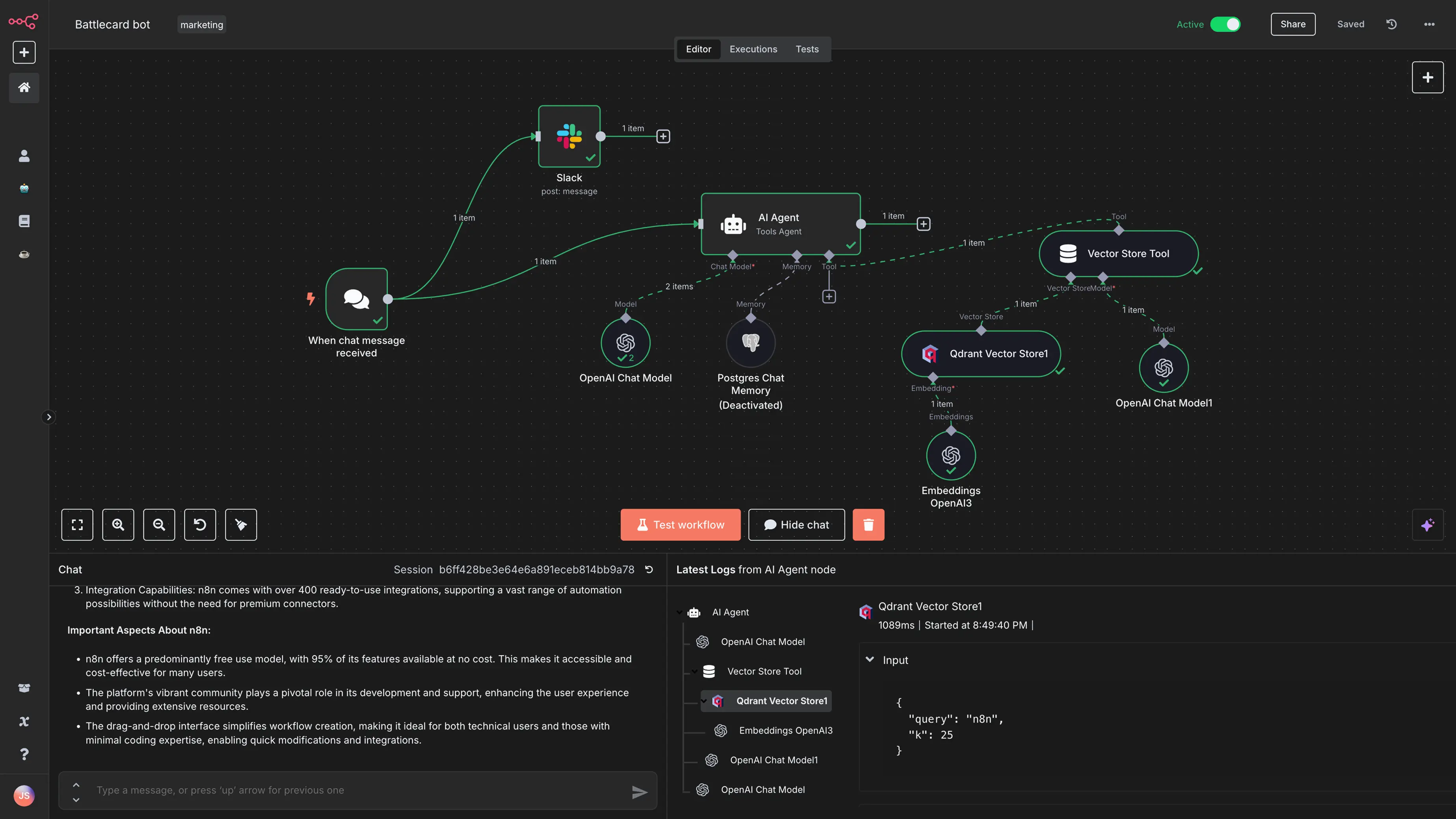
n8n workflow editor showing a live automation canvas. Source: official n8n product imagery.
💚 What we like
Complex workflows can combine connectors, code, webhooks and branching in one canvas.
Cloud plans charge by workflow execution, while the Community edition can be self-hosted.
Higher tiers add environments, version control, governance and scaling controls.
🟠 What to know
Self-hosting shifts infrastructure, upgrades, security and reliability work onto your team.
The product is not ecommerce-first, so teams must design their own commerce conventions and operating patterns.
💡 Why this score: n8n scores very highly on workflow control and technical flexibility, with good value for complex automations. It gives up points on ecommerce specialization and ease of implementation: the same freedom that makes it attractive to technical teams creates more ownership work for operators without engineering support.
💰 Pricing: Starter is €20 per month billed annually for 2,500 workflow executions; Pro is €50 for 10,000. Business is €667 for 40,000 and self-hosted; Enterprise is custom. A self-hosted Community edition is available.
✅ Best fit: Technical small and mid-market teams that need custom logic, API-heavy automations, AI workflows or self-hosting control.
🚫 Less ideal for: Merchant teams that want commerce-specific templates, guided setup and minimal responsibility for infrastructure or technical debugging.
🧩 Key capabilities
Visual workflow editor with branching
Webhook, schedule and app triggers
Code and custom logic steps
Hosted and self-hosted deployment options
Execution history, search and insights on paid tiers
Version control, environments and enterprise governance on higher tiers
🔎 Official sources

5️⃣ 5. MESA
89/100 · 💰 Free · 🧩 Beginner · 🏢 SMB–Mid-market · ⚙️ No-code
🎯 Best for: Shopify-focused teams that want ecommerce-aware workflows, native commerce objects and hands-on setup support without developer-heavy implementation.
⚡ Choose MESA if you want a Shopify-oriented automation platform that goes further than native Flow while staying more operator-friendly than a general integration platform.
MESA is an ecommerce automation platform centered on Shopify operations, with a visual workflow builder, commerce-focused integrations and templates for orders, inventory, fulfillment and customer workflows. It also supports custom code and external API calls for edge cases. Compared with broad automation platforms, MESA trades connector breadth for stronger merchant context and included support. That can make it a practical middle ground when Shopify Flow feels limiting but enterprise integration software would be excessive.
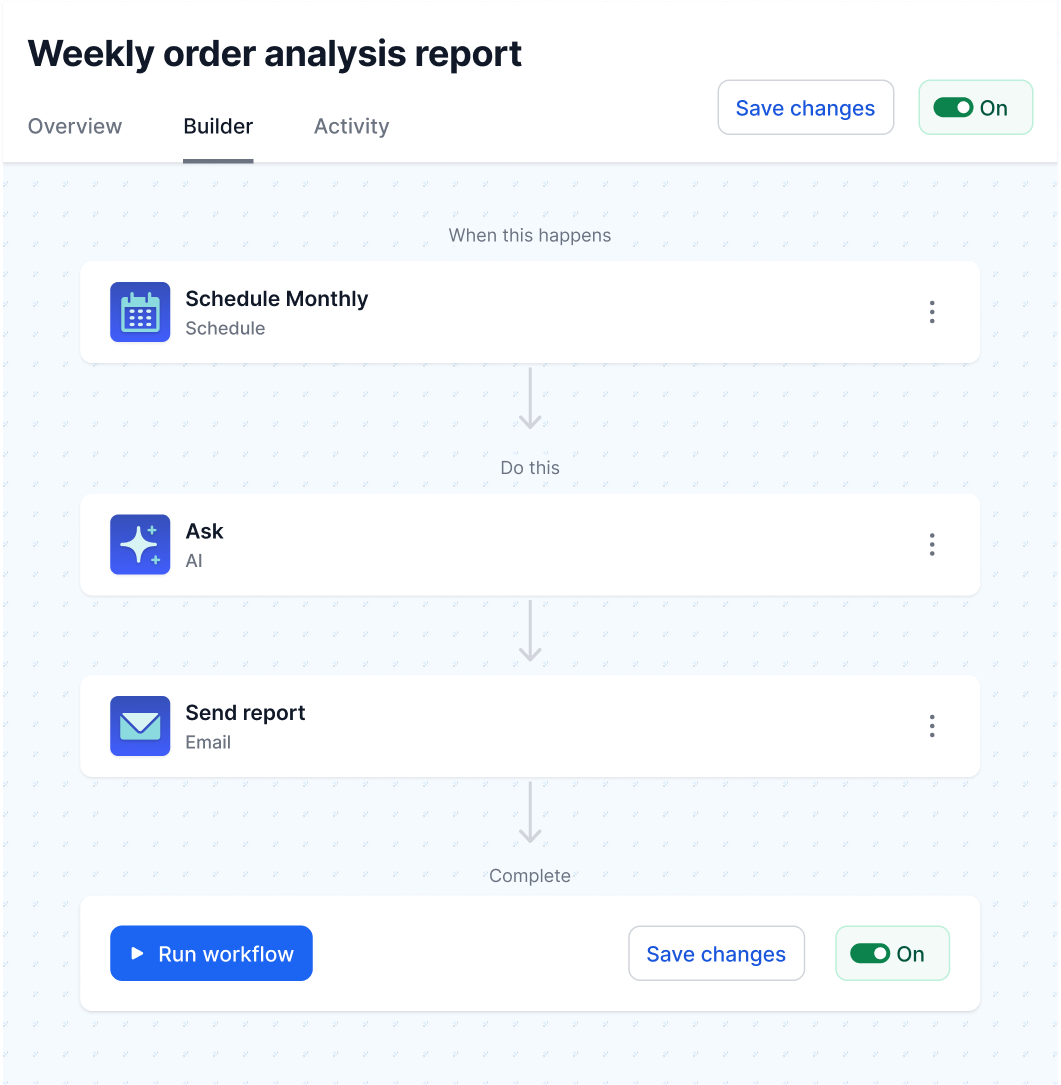
MESA visual workflow builder for ecommerce automation. Source: official MESA product site.
💚 What we like
Shopify data and common merchant workflows are built into the product model.
Public pricing is accessible, including a free plan and low-cost paid tiers.
The platform includes free workflow setup and supports replay and error-recovery patterns.
🟠 What to know
The integration universe is narrower than broad platforms such as Zapier or Make.
Advanced multi-system architecture may eventually outgrow a merchant-first platform and require a broader integration layer.
💡 Why this score: MESA scores especially well on ecommerce fit, value and operator accessibility. It loses points for narrower cross-enterprise reach and governance compared with integration-platform-as-a-service products. For Shopify-heavy businesses, however, that narrower focus can be a feature because setup starts closer to real commerce workflows.
💰 Pricing: Starter is $0 for 50 tasks per month; Basic $12 for 500 tasks; Flex $29 for 10,000; Pro $99 for 50,000. Higher Unlimited and Custom tiers are also offered.
✅ Best fit: Shopify merchants that need multi-step order, inventory, fulfillment, customer or data workflows without building an integration engineering function.
🚫 Less ideal for: Enterprises that need hundreds of non-commerce connectors, complex environment promotion or centralized integration governance across many departments.
🧩 Key capabilities
Shopify-native data and workflow triggers
Visual workflow builder
Filters, paths, loops, approvals and delays
Automatic recovery and manual replay
External API and custom JavaScript steps
Commerce-focused templates and integration library
🔎 Official sources

6️⃣ 6. Zapier
89/100 · 💰 Budget · 🧩 Beginner · 🏢 All sizes · ⚙️ No-code
🎯 Best for: Teams that want the broadest practical route to connect common ecommerce and business apps with minimal setup.
⚡ Choose Zapier if connector availability and ease of adoption matter more than having a deeply commerce-specific workflow model or enterprise integration architecture.
Zapier is a general no-code automation platform built around triggers and actions across a very large app ecosystem. For ecommerce teams, its strength is coverage: common storefront, marketing, support, finance and productivity tools can often be connected without custom development. Multi-step workflows, webhooks and premium apps are available on paid plans. The main buying question is usage economics because successful actions consume tasks, so high-volume order or synchronization workflows can behave differently from occasional operational automations.
Zapier workflow editor with trigger and action steps. Source: official Zapier Help Center.
💚 What we like
Broad connector coverage makes it a practical default for mixed software stacks.
The no-code editor is approachable for nontechnical operators and common workflows.
Paid plans add multi-step workflows, webhooks, shared connections and stronger governance.
🟠 What to know
Task-based billing means high-volume or action-heavy workflows need careful cost modeling.
It is a horizontal platform, so ecommerce-specific error patterns and data models are not the primary product design.
💡 Why this score: Zapier scores well on breadth, implementation speed and operator accessibility. It ranks below the ecommerce specialists because merchant context is generic, and below more technical platforms on deep workflow control. Its strongest advantage is still simple: it is often the fastest way to connect the apps a team already uses.
💰 Pricing: Free includes 100 tasks per month and two-step Zaps. Professional starts at $19.99 per month; Team starts at $69; Enterprise is custom priced.
✅ Best fit: Small through enterprise teams that need many straightforward cross-app automations and value quick deployment over deep integration architecture.
🚫 Less ideal for: High-volume data synchronization, complex commerce-to-ERP processes or workloads where per-action task economics become expensive.
🧩 Key capabilities
No-code trigger and action workflows
Multi-step workflows on paid plans
Webhooks and built-in data tools
Large app integration ecosystem
Shared workflows, folders and connections for teams
Enterprise permissions, controls and observability
🔎 Official sources

7️⃣ 7. Workato
89/100 · 💰 Mid · 🧩 Advanced · 🏢 Mid-market–Enterprise · ⚙️ Enterprise implementation
🎯 Best for: Larger organizations that need governed automation across business systems, with recipes, shared assets and enterprise administration.
⚡ Choose Workato if automation is becoming an organization-wide capability and you need strong integration breadth, governance and reusable workflow standards across departments.
Workato is an enterprise automation and integration platform whose workflows, called recipes, connect applications and business processes across departments. It is capable well beyond ecommerce, which matters when commerce operations sit inside a larger architecture spanning finance, support, data and internal systems. Public self-service Pro pricing exists, but enterprise buying adds platform and usage economics. Workato is therefore most relevant when centralized governance and scale are worth a more formal implementation and operating model.
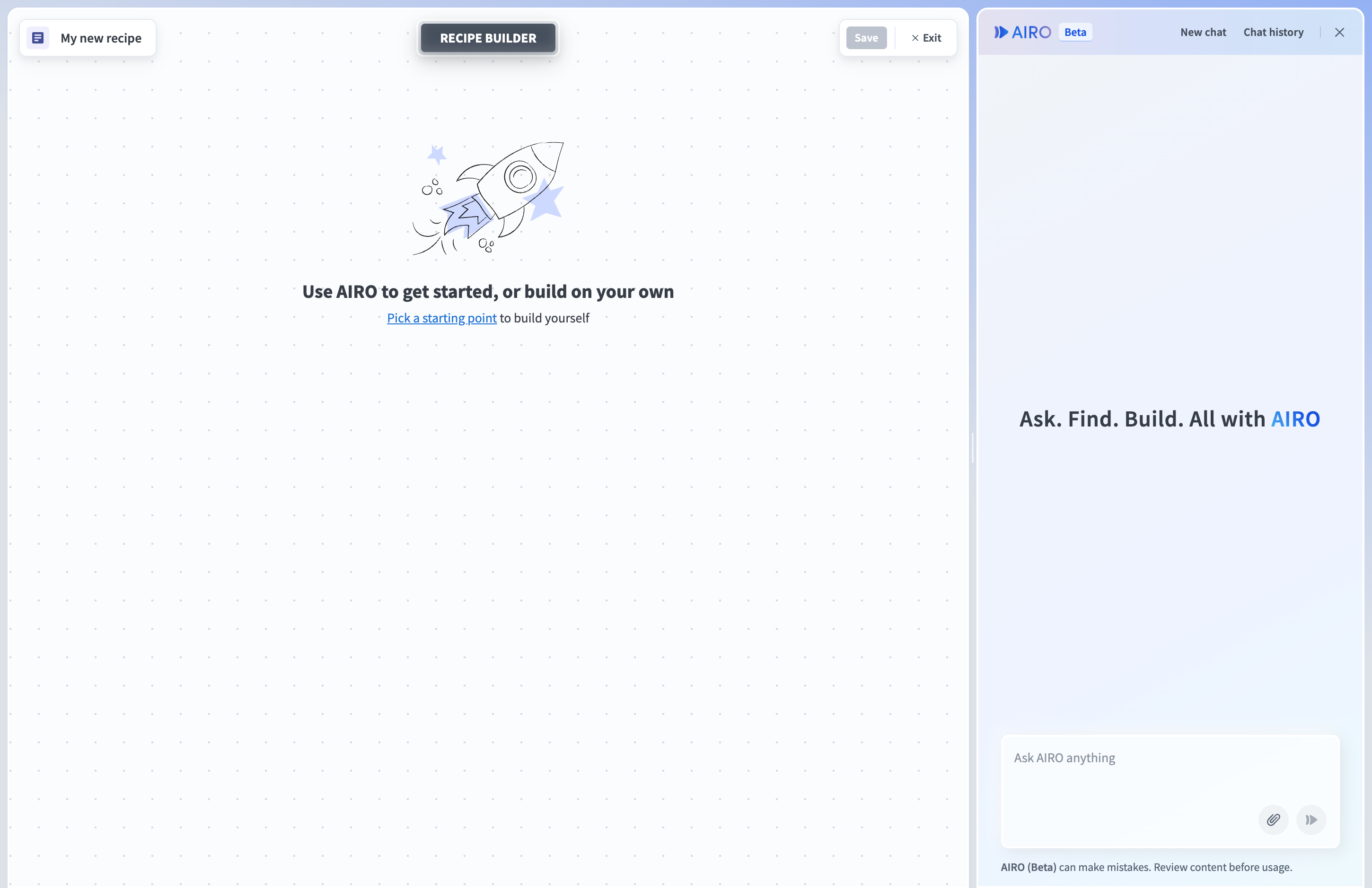
Workato recipe editor showing a real automation workflow. Source: official Workato documentation.
💚 What we like
Strong integration and governance capabilities suit shared enterprise automation programs.
Recipe tooling supports reusable, multi-step processes across many business functions.
Higher-level administration and deployment controls support scale beyond individual operators.
🟠 What to know
Enterprise contracts combine platform and usage economics, so self-service pricing is not a complete enterprise cost proxy.
The breadth of the platform can be more process and governance than a merchant team needs for simple store automations.
💡 Why this score: Workato scores near the top for workflow depth, integration capability and enterprise scale. Its lower ecommerce specialization and heavier buying and implementation model keep it below commerce-led Celigo and lighter general tools. It becomes more compelling as automation ownership moves from a merchant team to a shared platform function.
💰 Pricing: Published self-service Pro tiers start at $75 per month for 2,500 credits, then $100 for 3,500 and higher allowances. Direct enterprise pricing uses platform edition plus usage fees.
✅ Best fit: Mid-market and enterprise organizations standardizing automation across commerce, finance, service, data and internal applications.
🚫 Less ideal for: Small merchants that want a few low-cost store automations with minimal setup or procurement.
🧩 Key capabilities
Recipe-based workflow automation
Large connector and application coverage
Reusable connections and shared assets
API and data workflow capabilities
Enterprise administration and governance
Usage monitoring and scalable deployment controls
🔎 Official sources

8️⃣ 8. Mechanic
87/100 · 💰 Budget · 🧩 Advanced · 🏢 SMB–Mid-market · ⚙️ Developer-led
🎯 Best for: Technically capable Shopify merchants and agencies that want highly customized automation using Shopify data, Liquid templates and application programming interfaces (APIs).
⚡ Choose Mechanic if standard no-code actions are too limiting and your team is comfortable writing or adapting code-like task logic specifically for Shopify.
Mechanic is a Shopify development and automation platform for custom tasks. It is unusually flexible inside the Shopify ecosystem because tasks can react to events, run on schedules, call APIs and implement logic beyond standard no-code builders. That flexibility comes with a clear trade-off: the product expects technical comfort, especially with Liquid and Shopify APIs. For agencies or developer-capable merchants, that can be an efficient way to solve highly specific Shopify operational problems without maintaining a separate app.
Mechanic storefront form connected to an automation workflow. Source: official Mechanic product site.
💚 What we like
Deep Shopify context supports custom merchant workflows that no-code tools may not expose.
Pricing is public, modest and explicitly flexible through the vendor’s pay-what-feels-good policy.
Task examples and developer documentation provide a strong starting point for custom automation.
🟠 What to know
Meaningful customization assumes Liquid and Shopify API knowledge or access to a Mechanic partner.
It is Shopify-specific, so it is not the right backbone for broad multi-system integration governance.
💡 Why this score: Mechanic earns strong ecommerce and workflow-control scores because it can express highly specific Shopify logic. It ranks lower on accessibility, broader integration breadth and enterprise governance. The product is most valuable when technical capability already exists and merchant-specific flexibility matters more than no-code convenience.
💰 Pricing: Suggested monthly prices are $16 for Basic Shopify, $29 for Shopify, $99 for Advanced and $199 for Plus. Mechanic describes the model as pay what feels good.
✅ Best fit: Shopify brands and agencies with technical resources that need bespoke automations not covered cleanly by native Flow or standard connector actions.
🚫 Less ideal for: Non-Shopify businesses or operator-led teams that want to avoid code, Liquid templates and API-level debugging.
🧩 Key capabilities
Shopify event-driven task automation
Scheduled and historical task runs
Liquid-based custom logic
Shopify GraphQL and REST API access
External API and connected-service patterns
Reusable task examples and partner ecosystem
🔎 Official sources
9️⃣ 9. Tray.ai
86/100 · 💰 Enterprise price · 🧩 Advanced · 🏢 Enterprise · ⚙️ Enterprise implementation
🎯 Best for: Enterprise teams building governed integrations and automations across many systems, with commerce as one important workflow domain.
⚡ Choose Tray.ai if you need enterprise integration controls, reusable projects and broad connectivity, and you are prepared for a sales-led platform rather than merchant self-service pricing.
Tray.ai is an enterprise integration platform as a service focused on connecting business systems through reusable workflows and connectors. Ecommerce teams can use it for processes such as order routing, fulfillment coordination or commerce-to-back-office synchronization, but the platform is deliberately broader than retail. Workspaces, projects, usage controls and enterprise administration make it suitable for central integration teams. The trade-off is commercial and operational weight: pricing is customized and implementation typically needs dedicated technical ownership.
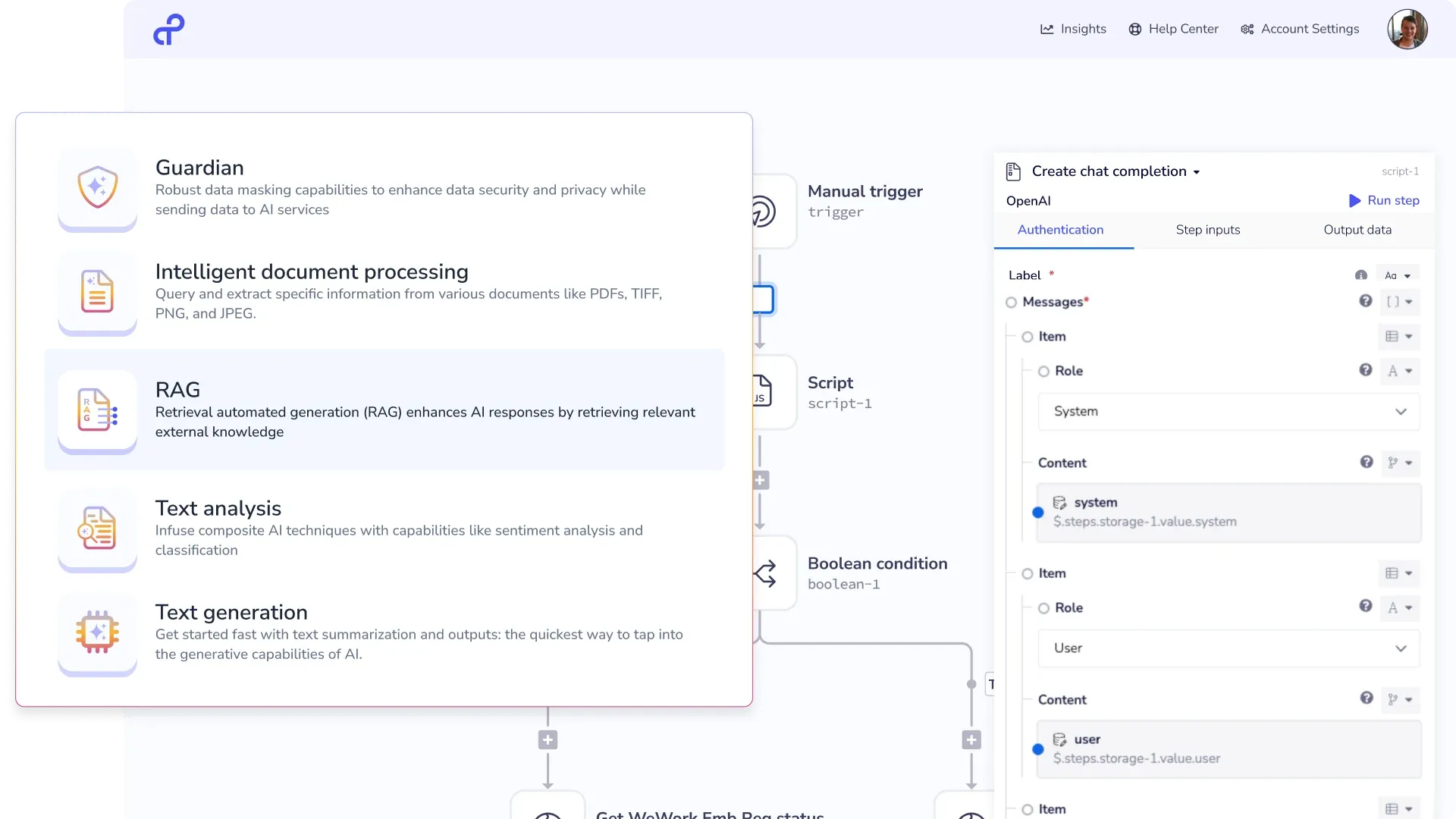
Tray.ai intelligent integration workflow builder. Source: official Tray.ai platform page.
💚 What we like
Enterprise workflow and workspace controls support shared integration ownership.
Connectors plus API-oriented tooling cover complex cross-system processes.
Usage dashboards and entitlement controls help teams monitor automation consumption at scale.
🟠 What to know
Public pricing does not provide dollar amounts, so total cost requires a scoped vendor quote.
Commerce-specific patterns exist, but ecommerce is not the organizing center of the platform.
💡 Why this score: Tray.ai scores strongly on integration architecture, workflow control and enterprise scale. Its score is reduced by custom pricing, implementation weight and lower ecommerce specialization than merchant-focused alternatives. It is a serious shortlist option when commerce workflows must live inside a centrally governed enterprise integration program.
💰 Pricing: Custom quote. Tray.ai publishes Pro, Team and Enterprise plan structures, while billing and entitlements depend on usage and contracted features.
✅ Best fit: Enterprises with an integration team connecting ecommerce to operational, data and internal systems across multiple business units.
🚫 Less ideal for: Small and mid-sized merchants that want public pricing, fast self-service setup and commerce-specific templates.
🧩 Key capabilities
Visual enterprise workflow builder
Connector and API-based integration
Workspaces and project organization
Usage dashboards and entitlement controls
Environment and governance capabilities
Shopify connector with commerce object operations
🔎 Official sources
🔟 10. Boomi
85/100 · 💰 Mid · 🧩 Advanced · 🏢 Mid-market–Enterprise · ⚙️ Enterprise implementation
🎯 Best for: Mid-market and enterprise integration teams that need a mature low-code platform spanning applications, data, APIs and business processes.
⚡ Choose Boomi if the automation problem is really enterprise integration architecture and ecommerce is one of several systems that must participate reliably.
Boomi is a broad enterprise integration platform with low-code process building, application connectivity, data mapping and API capabilities. It can support ecommerce integrations, but merchants should view it as infrastructure rather than a store automation app. A $99 per month Pay-As-You-Go option lowers the entry barrier, while larger subscription editions remain sales-led. The value case is strongest when one platform must support many integration domains, not when a team only needs a few storefront tasks.
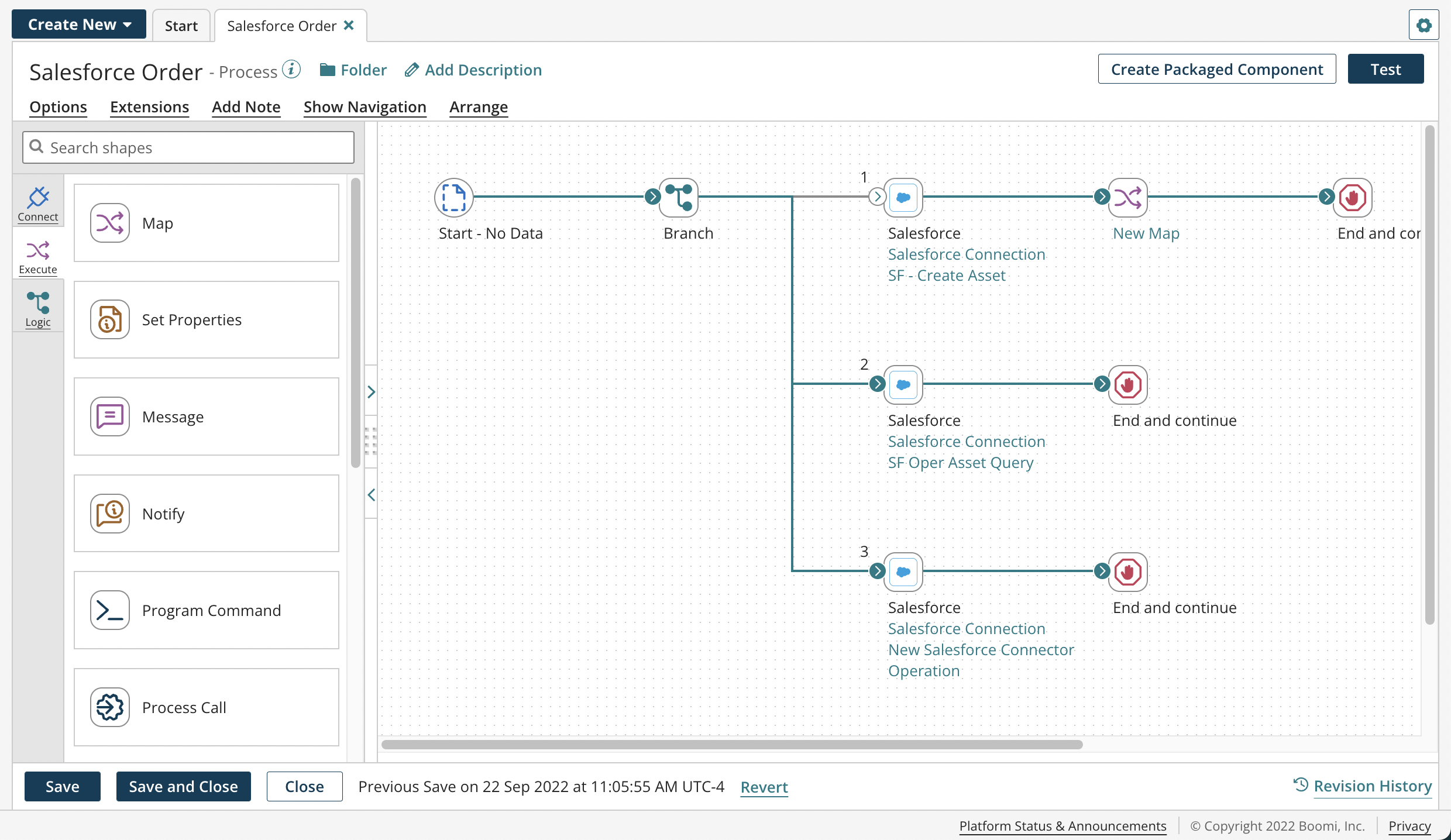
Boomi process-building canvas used to design an integration workflow. Source: official Boomi documentation.
💚 What we like
Low-code process building supports complex integration logic without making every flow fully custom code.
The platform spans application integration, APIs and data capabilities for larger architecture needs.
Pay-As-You-Go provides a published entry point before larger annual subscription editions.
🟠 What to know
The $99 monthly base is plus usage, so production cost depends on message volume and workload design.
The enterprise platform can be excessive for a merchant team whose automation needs are mostly within a storefront and SaaS apps.
💡 Why this score: Boomi scores strongly for integration depth, workflow control and enterprise scale, but it is less ecommerce-specific than most of this list. Pricing and implementation also need careful modeling. It belongs on the shortlist when commerce integration is part of a wider enterprise integration strategy, not as a default merchant tool.
💰 Pricing: Pay-As-You-Go is $99 per month plus usage, billed monthly. A 30-day full-platform trial is available; larger subscription editions use sales-led pricing.
✅ Best fit: Mid-market and enterprise companies standardizing application, data and API integration across commerce and non-commerce systems.
🚫 Less ideal for: Small merchants looking for ready-made ecommerce workflows, simple templates and an operator-first no-code experience.
🧩 Key capabilities
Low-code process canvas
Application and data connectors
Data mapping and transformation
API management capabilities
Process monitoring and error handling
Enterprise environments, security and support options
🔎 Official sources
🎯 Which tools should you actually shortlist?
Shopify-native and simple: Start with Shopify Flow before paying for another automation layer. Add MESA if you need more merchant-specific cross-app logic and support.
Operator-led cross-app automation: Compare Make and Zapier. Use the same workflow and price it at your real monthly action volume, not a toy demo.
Technical team with custom logic: Put n8n on the shortlist, especially if self-hosting, APIs or code-heavy workflows are strategic. Add Mechanic when the problem is specifically custom Shopify automation.
Commerce-to-back-office integration: Start with Celigo when storefront, enterprise resource planning, inventory and fulfillment synchronization is the central job.
Enterprise automation platform: Compare Workato, Tray.ai and Boomi when governance, environments, access controls and shared integration ownership matter across departments.
Unclear requirement: Do not shortlist by connector count alone. First name the three production workflows, their failure modes, monthly volume and the person who will own them after launch.
🧪 Run this test before you buy
Give every vendor the same real order workflow and one deliberately broken case. A useful test starts with a paid ecommerce order, enriches it with customer or risk data, routes it to another operational system, writes a status back and alerts the right person when something fails. Use sandbox data where possible. The goal is to measure how the platform behaves after the polished first setup, because production automation is mostly about data mapping, exceptions, ownership and recovery.
Connect a real storefront sandbox and one downstream system using least-privilege credentials.
Trigger a paid order and map customer, line-item, tax, discount and shipping fields end to end.
Add a conditional branch for a high-value, international or risky order.
Transform at least one field, such as date, currency, address or product identifier format.
Create a duplicate-event scenario and verify how the workflow avoids duplicate downstream records.
Force an authentication failure and inspect the alert, log detail and retry behavior.
Force a downstream application error and replay the failed execution after fixing the cause.
Change one field mapping and confirm how the platform supports testing before production.
Invite a second operator, restrict access and check who can see or change credentials and workflows.
Estimate monthly cost using normal order volume plus your Black Friday or peak-season case.
📏 Record the same things for every vendor: setup time, connector gaps, number of steps or credits consumed, time to diagnose the forced failure, replay behavior, duplicate protection, data available in logs, access controls, deployment process, expected normal-month cost and peak-month cost.
🧾 10 questions to ask in every demo
Which exact ecommerce objects, triggers and actions does your connector support today, and which require generic API calls?
What counts as a billable task, credit, execution, message, endpoint or flow in our proposed workflow?
How do retries, automatic recovery and manual replay work after an external API failure?
How do you prevent duplicate orders, fulfillments or customer updates when a trigger is delivered twice?
Which credentials can operators use, who can view them and can access be separated by team or environment?
How do we test mapping and logic changes before production, and can we roll back a bad change?
What happens when an ecommerce or enterprise resource planning API changes version, rate limit or schema?
Can we export execution logs, workflow definitions and configuration if we leave the platform?
Who owns implementation and support for a failed integration involving both your platform and a third-party connector?
Show the total monthly cost at our normal volume and at three times that volume, including overages, premium connectors and support.
❓ Frequently asked questions
What is ecommerce workflow automation?
Ecommerce workflow automation uses triggers, rules and actions to move work between store, marketing, support and operations systems without manual repetition. A simple example is tagging a high-value order and alerting a team; a more complex one synchronizes orders and inventory between a storefront and enterprise resource planning system.
What is the difference between workflow automation and integration platform as a service?
Workflow automation focuses on automating tasks and business processes. An integration platform as a service, often abbreviated iPaaS, adds deeper system-to-system connectivity, transformation, monitoring, governance and deployment controls. Products increasingly overlap, so compare the specific workflow rather than the category label.
Do Shopify stores need Shopify Flow plus another automation tool?
Not always. Shopify Flow should be the first check for Shopify-native events and actions because the app is free on eligible Shopify plans. Add another platform when you need unsupported external systems, more complex transformations, broader governance or workflows whose center of gravity sits outside Shopify.
How much does ecommerce automation software cost?
Entry pricing ranges from free plans to low-cost no-code subscriptions, while enterprise integration platforms often require custom quotes. The more important number is workload cost: model tasks, credits, executions, messages, endpoints or flows using your actual order volume and number of actions per workflow.
How difficult is implementation?
Native tools can be configured in hours for simple workflows. Visual no-code tools remain approachable but become more technical as data mapping and exception handling grow. Enterprise integration platforms commonly require specialist implementation, testing, credential governance and production ownership.
What should an ecommerce team automate first?
Start with a repetitive process that has clear inputs, clear ownership and measurable failure cost. Good candidates include order routing, low-stock alerts, customer tagging, fulfillment exceptions or controlled data synchronization. Avoid automating a process that the team has not yet agreed how to run manually.
🔍 About this research
MarketMaze compared only the 10 tools assigned to this category in the production inventory. Pricing, product scope and implementation claims were checked against current official vendor pages and documentation. Third-party review scores were not used. Product screenshots are first-party vendor or vendor-documentation assets and were visually checked before inclusion for interface relevance, overlays, errors, login walls and crop quality.
Last research check: 26 September 2026.
