
MARKETMAZE · ECOMMERCE TOOLS · RESEARCH
12 Best Video Creation, Editing & AI Ad Tools for Ecommerce (2026)
The best ecommerce video stack depends on whether you edit real footage, generate AI spokesperson ads, or create new footage with generative models. We compared 12 leading tools on production quality, commerce fit, workflow, implementation, value and scale.
Updated 25 September 2026 · Pricing and product claims checked against official vendor sources.
👋 New to this category?
Video tools now span three distinct jobs. Editors such as CapCut, Premiere and VEED shape real footage. AI spokesperson platforms such as HeyGen, Synthesia and Arcads create presenter-led videos. Generative platforms such as Runway can create or transform footage itself, while ecommerce specialists such as Creatify start from product data and ad workflows. Do not treat these as interchangeable. For commerce, also test product accuracy carefully: generated packaging, colors or features can drift. And an AI actor is a synthetic presenter, not a genuine customer testimonial.
🧭 Jump to a tool
🏆 The quick answer
🏆 Best overall
Creatify
🌱 Best for getting started
CapCut
💸 Best value
Canva
🏢 Best for larger teams / enterprise
Synthesia
🧠 Best for advanced or technical users
Adobe Premiere
🌍 Best for AI presenters & localization
HeyGen
MarketMaze take
Creatify wins this ecommerce-specific ranking because it starts with the job marketers actually need to do: turn product information into many testable ad concepts. CapCut is the broadest easy editor for social teams, while Premiere remains the precision choice for professional footage. The AI-avatar tools are useful when filming and localization are bottlenecks, but teams should disclose synthetic presenters clearly. Runway is the most powerful generative layer, not the safest source of product truth.
📊 Tool comparison & scores
Rank | Tool | Score | Best for | Pricing |
|---|---|---|---|---|
1 | 93/100 | URL-to-ad scale | Pro $99/mo | |
2 | 92/100 | Fast social editing | Free; Pro varies | |
3 | 90/100 | Professional editing | $22.99/mo | |
4 | 89/100 | Browser collaboration | From ~$19/user/mo | |
5 | 88/100 | Brand content teams | Free; Pro localized | |
6 | 87/100 | AI presenters | Free; Creator $29/mo | |
7 | 86/100 | AI first drafts | From ~$20/seat/mo | |
8 | 85/100 | Social AI edits | Max $24.99/mo | |
9 | 84/100 | Text-based editing | Free; from $16/mo annual | |
10 | 83/100 | Generative video | Free; Standard $15/mo | |
11 | 82/100 | AI actor ads | Custom / account pricing | |
12 | 80/100 | Enterprise avatars | Free; Starter $29/mo |
Scores reflect MarketMaze’s category-specific methodology, not customer-review averages. Pricing is the latest verified public information and can vary by region, billing cadence, usage credits and enterprise terms.
🧠 How the scoring works
This ranking uses MarketMaze proprietary scoring.
Dimension | Weight | What we look for |
|---|---|---|
Core job performance | 30% | Editing quality, generation quality, reliability, speed and control over the finished video |
Ecommerce fit | 20% | Product workflows, ad formats, social output, brand controls and product-detail accuracy |
Workflow & control | 15% | Iteration speed, review, collaboration, templates and the balance between automation and manual control |
Integrations & implementation | 15% | Ease of rollout, platform access, export options and fit with existing creative workflows |
Pricing & value | 10% | Usable output for realistic spend, including credit limits, seats, storage and hidden usage costs |
Scale & advanced capabilities | 10% | Localization, batch production, governance, generative options, APIs and sophisticated editing or team controls |
Scores are editorial judgments based on the verified product capabilities and buying conditions in this category. A lower-ranked tool can still be the better choice for a specific workflow.
🤔 Do you even need ecommerce video software?
Probably yes ✅
You publish video every week, run paid social, localize campaigns, or repeatedly wait on editors and creators. A dedicated workflow can cut production time and make testing more systematic.
Maybe 🟡
You make occasional launch videos or tutorials but most content is still static. Start with a broad tool such as Canva or CapCut before buying a specialist AI platform.
Probably not yet ⏳
Video is not yet a meaningful acquisition or education channel, or your team lacks a repeatable brief and review process. Software will not solve unclear creative strategy or weak product evidence.
🥇 1. Creatify
93/100 · 💰 Budget · 🧩 Beginner · 🏢 SMB–Mid-market · ⚙️ No-code
🎯 Best for: Ecommerce teams turning product URLs into large batches of short-form performance ads
⚡ Choose Creatify if you need ecommerce-first AI ad production from product pages rather than a general-purpose editor.
Creatify is the most ecommerce-specific product in this comparison. It can turn a product URL into scripts and video ads, combine AI actors with product assets, and generate multiple creative variations without a traditional shoot. AdFlow adds a node-based workflow for scaling concepts, while product-ad and competitor-intelligence features make it unusually close to a performance marketing workbench rather than a generic video generator. That specialization is why it leads this ranking.

📷 Creatify AdFlow shows a node-based workflow for assembling and scaling ad creative. Source: vendor website/documentation.
💚 What we like
URL-to-video starts with real product context instead of a blank prompt or empty timeline.
AdFlow and batch-oriented workflows make creative iteration practical for teams testing many ad variants.
AI actors, scripts, product visuals and ad formats sit in one ecommerce-focused workflow.
🟠 What to know
AI-generated actors must never be presented as genuine customers or authentic testimonials.
The strongest value appears on paid plans, especially when generation volume and premium models increase.
💡 Why this score: Creatify combines strong core generation with the clearest ecommerce fit in the field. It loses a few points versus traditional editors on frame-level control, but wins on product-to-ad speed, repeatability and the number of performance-marketing tasks it consolidates.
💰 Pricing: Starter plan available; Pro is $99/month with 300 credits, higher limits and advanced ad workflows; Enterprise is sales-led. Verify credit consumption before scaling.
✅ Best fit: DTC brands, ecommerce agencies and paid-social teams that need many product-led concepts, hooks, actors and localized variants every week.
🚫 Less ideal for: Teams whose main job is long-form film editing, precise color work or complex multi-track post-production.
🧩 Key capabilities
URL to video
AI ad generation
AI actors
AdFlow workflows
Product ads
Batch variations
🔎 Official sources: Product · Pricing · Documentation
🥈 2. CapCut
92/100 · 💰 Budget · 🧩 Beginner · 🏢 SMB–Mid-market · ⚙️ No-code
🎯 Best for: Fast social video editing, captions and platform-ready creative without a steep learning curve
⚡ Choose CapCut if your team wants the fastest route from raw clips to polished social ads and organic video.
CapCut is a broad, creator-friendly editor available across web, desktop and mobile. Its timeline, templates, text, effects, auto captions, background removal and AI tools cover most short-form ecommerce production without requiring a professional editing background. The workflow is especially strong for TikTok, Reels and rapid promotional content. It ranks just behind Creatify because its ecommerce workflow is less specialized, but for day-to-day social editing it is often the easier universal choice.
📷 CapCut Web shows text templates, product footage and a multi-track editing timeline. Source: vendor website/documentation.
💚 What we like
Beginner-friendly timeline and templates reduce production friction for non-specialist marketing teams.
Strong caption, text, effects and resize workflows match the needs of short-form social distribution.
Cross-platform editing makes it practical to move between desktop, browser and mobile production.
🟠 What to know
Plan names, entitlements and prices vary by region, device and promotional offer.
Its breadth can create inconsistent brand output unless teams establish templates and review rules.
💡 Why this score: CapCut scores extremely well on speed, usability and short-form workflow coverage. It is less purpose-built for ecommerce ad generation than Creatify and less precise than Premiere, but its combination of editing, AI assistance, captions and social formats creates exceptional everyday value.
💰 Pricing: Free tools are available. CapCut Pro pricing varies by region, platform and promotion; the current Pro plan includes expanded AI points and cloud storage. Check the in-product upgrade page for local pricing.
✅ Best fit: Lean ecommerce teams and creators producing frequent TikTok, Instagram, YouTube Shorts, product demos and promotional edits from existing footage.
🚫 Less ideal for: Advanced post-production teams needing deep color, audio, proxy, finishing and interchange workflows across complex projects.
🧩 Key capabilities
Timeline editing
Auto captions
Templates
Background removal
AI video tools
Social exports
🔎 Official sources: Product · Pricing · Documentation
🥉 3. Adobe Premiere
90/100 · 💰 Budget · 🧩 Advanced · 🏢 All sizes · ⚙️ Specialist-led
🎯 Best for: Professional editing teams that need deep timeline control, finishing and Adobe ecosystem workflows
⚡ Choose Adobe Premiere if creative control matters more than one-click generation and you already work with professional post-production tools.
Adobe Premiere remains the strongest traditional editor in this set for teams that need precise control over real footage. It combines mature multi-track editing, audio mixing, color tools, masking, captions, text-based editing and deep connections to the wider Adobe ecosystem. For ecommerce teams, that means polished product films, campaign assets and countless cutdowns can all come from one master project. The trade-off is learning curve: it is powerful because it exposes far more editing decisions than lightweight tools do.
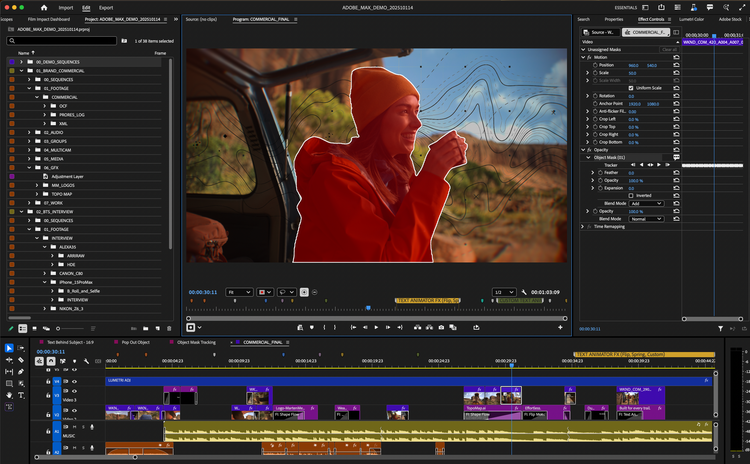
📷 Adobe Premiere shows its professional timeline and AI-powered object masking workflow. Source: vendor website/documentation.
💚 What we like
Professional timeline, audio, color and masking tools support complex campaign and product-video production.
Text-based editing and newer AI-assisted features speed common editing tasks without removing manual control.
Adobe ecosystem and Frame.io workflows suit established creative teams, agencies and approval processes.
🟠 What to know
The learning curve and desktop workflow are heavier than browser-first social editors.
It does not automatically turn a product URL into finished ecommerce ad concepts like specialist AI tools.
💡 Why this score: Premiere earns a high score for core editing quality, workflow control and scale. Its ecommerce-specific automation is lower than specialist ad generators, and its complexity reduces accessibility, but teams that value precise craft and reusable professional projects get capabilities the lighter tools cannot match.
💰 Pricing: Premiere is $22.99/month on an annual plan billed monthly for individuals; business pricing starts at $37.99/license/month. Adobe also bundles Premiere in Creative Cloud plans.
✅ Best fit: In-house creative teams, agencies and advanced marketers producing hero product films, polished ads and multi-format campaign cutdowns from real footage.
🚫 Less ideal for: Solo operators who mainly need quick template-based social videos or automated AI actor ads from product URLs.
🧩 Key capabilities
Multi-track timeline
Text-based editing
Object masking
Color grading
Audio mixing
Frame.io review
🔎 Official sources: Product · Pricing · Documentation
4️⃣ 4. VEED
89/100 · 💰 Budget · 🧩 Beginner · 🏢 SMB–Mid-market · ⚙️ No-code
🎯 Best for: Browser-first teams combining quick editing, subtitles, recording and AI video utilities
⚡ Choose VEED if you want a collaborative browser editor that mixes conventional editing with practical AI production tools.
VEED brings a surprisingly broad video workflow into the browser. Teams can edit on a timeline, add captions and branded text, clean audio, record screens, generate or use AI assets, and create social-ready output without installing desktop software. That makes it a strong middle ground between CapCut’s creator-first speed and Premiere’s professional depth. Ecommerce teams benefit most when several marketers need to create and review videos consistently without handing every job to a specialist editor.
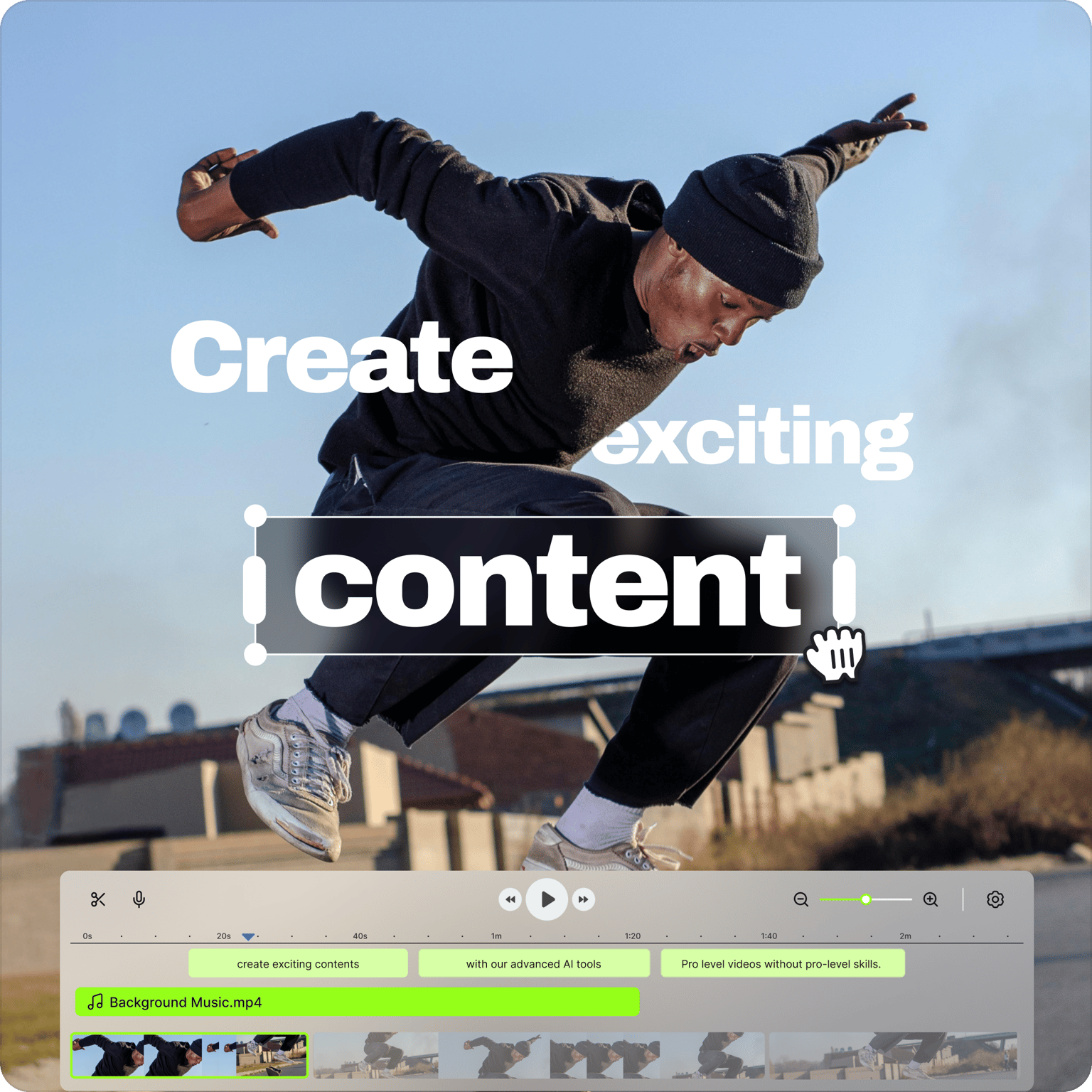
📷 VEED’s online editor combines visual styling controls with a multi-track browser timeline. Source: vendor website/documentation.
💚 What we like
Browser-based editing makes collaboration and access easier across mixed marketing teams.
Captioning, cleanup, recording and AI utilities reduce the number of separate tools needed.
Templates and brand controls help standardize repeatable social and campaign output.
🟠 What to know
Advanced finishing and timeline precision remain below dedicated professional desktop editors.
Current plan details should be checked carefully because pricing and AI entitlements change over time.
💡 Why this score: VEED scores strongly because it covers the complete browser workflow with low implementation friction. It gives up some editing depth and ecommerce-specific automation, but balances speed, collaboration, captions, AI features and approachable controls better than most general-purpose web editors.
💰 Pricing: Free plan available. Paid self-serve plans currently start around $19/user/month on annual billing; higher plans and enterprise options add more AI, branding and collaboration capacity. Verify current checkout pricing.
✅ Best fit: Marketing teams that need several people to create product explainers, social ads, tutorials and captioned videos in a shared browser workflow.
🚫 Less ideal for: High-end production teams that depend on deep compositing, extensive plugin ecosystems or frame-accurate finishing.
🧩 Key capabilities
Browser editor
Auto subtitles
AI video tools
Screen recording
Brand controls
Team collaboration
🔎 Official sources: Product · Pricing · Documentation
5️⃣ 5. Canva
88/100 · 💰 Free · 🧩 Beginner · 🏢 All sizes · ⚙️ No-code
🎯 Best for: Brand and commerce teams producing simple videos alongside everyday design assets
⚡ Choose Canva if video is one part of a wider brand-content workflow and your team already creates in Canva.
Canva is not the deepest editor here, but it is one of the easiest places for an ecommerce team to keep video inside the same system used for ads, social graphics, presentations and brand assets. Its multi-layer timeline, templates, captions, resizing and AI-assisted video features cover common marketing needs with very little training. The biggest advantage is organizational: a non-video specialist can reuse brand kits and existing assets instead of rebuilding visual standards in a separate editing application.

📷 Canva’s video editor shows a multi-layer timeline underneath a social video canvas. Source: vendor website/documentation.
💚 What we like
Video lives beside the rest of the team’s design library, templates and brand system.
Simple timeline, captions, resize and template workflows are accessible to non-specialist marketers.
A meaningful free tier can handle basic video production before a team commits to Pro.
🟠 What to know
Fine editing, sound design and advanced finishing controls are more limited than specialist editors.
AI feature availability and quotas depend on plan and can change by market.
💡 Why this score: Canva scores highly for accessibility, value and ecommerce team fit rather than raw editing depth. Its unified brand-content environment is a major operational advantage, especially for small teams. It loses points where professional editors need precision, complex audio, advanced effects or sophisticated project interchange.
💰 Pricing: Free plan available. Canva Pro pricing is localized by billing country; during research the Polish pricing page showed 450 PLN/year for one person. Teams should verify local checkout pricing.
✅ Best fit: SMB and mid-market marketing teams that need on-brand social videos, product clips and campaign assets without a dedicated video department.
🚫 Less ideal for: Professional editors working on complex long-form timelines, advanced color work, intricate audio mixes or compositing-heavy campaigns.
🧩 Key capabilities
Video timeline
Brand Kit
Templates
Auto captions
Magic Resize
AI video tools
🔎 Official sources: Product · Pricing · Documentation
6️⃣ 6. HeyGen
87/100 · 💰 Budget · 🧩 Beginner · 🏢 SMB–Mid-market · ⚙️ No-code
🎯 Best for: AI avatar, spokesperson and localization workflows for product explainers and campaign variants
⚡ Choose HeyGen if you need presenter-led videos in many languages without repeatedly filming a human spokesperson.
HeyGen is built around synthetic presenters, AI video generation and multilingual localization rather than traditional timeline editing. Ecommerce teams can create presenter-led product explainers, localized campaign versions and scripted social assets without repeatedly booking shoots. Its avatar library, custom avatar options and translation tooling are the main reasons to shortlist it. The important boundary is authenticity: an AI avatar can be a presenter or fictional spokesperson, but it should never be framed as a real customer testimonial.

📷 HeyGen’s current product site presents its AI video and avatar creation workflow. Source: vendor website/documentation.
💚 What we like
Large avatar library and custom-avatar options make presenter-led content quick to produce.
Translation and localization workflows support campaign reuse across many languages and markets.
Straightforward script-to-video workflow is accessible to marketers without editing expertise.
🟠 What to know
AI presenters can feel repetitive or synthetic when every creative follows the same talking-head pattern.
Brands need explicit disclosure and review rules so synthetic actors are not mistaken for real customers.
💡 Why this score: HeyGen scores well for avatar quality, localization and ease of use, but lower than top editors on footage control and ecommerce-specific product ingestion. It is especially valuable when the production bottleneck is filming presenters or localizing scripts, not when the main need is detailed editing.
💰 Pricing: Free plan includes limited monthly video creation. Creator is $29/month, Pro $49/month, Business $149/month plus additional seats; Enterprise is custom.
✅ Best fit: Growth, education and ecommerce teams producing presenter-led explainers, localized product videos and scripted campaign variants across many markets.
🚫 Less ideal for: Teams primarily editing complex real-world footage or seeking authentic customer UGC rather than clearly synthetic presenters.
🧩 Key capabilities
AI avatars
Custom avatars
Video translation
Voice cloning
Script to video
Localization
🔎 Official sources: Product · Pricing · Documentation
7️⃣ 7. InVideo
86/100 · 💰 Budget · 🧩 Beginner · 🏢 SMB · ⚙️ No-code
🎯 Best for: Prompt-led marketing video creation with templates, stock media and an editable production workflow
⚡ Choose InVideo if you want AI to assemble a first draft quickly but still need an editor for practical revisions.
InVideo combines AI-assisted generation with a more conventional editing environment, making it useful for marketers who want a first draft from a prompt and then need to adjust scenes, text, media and timing. It is broader than an AI avatar specialist and more automated than a traditional editor. For ecommerce, it works well for explainers, list-style social videos, promotional concepts and lightweight product storytelling where speed matters more than frame-level post-production control.
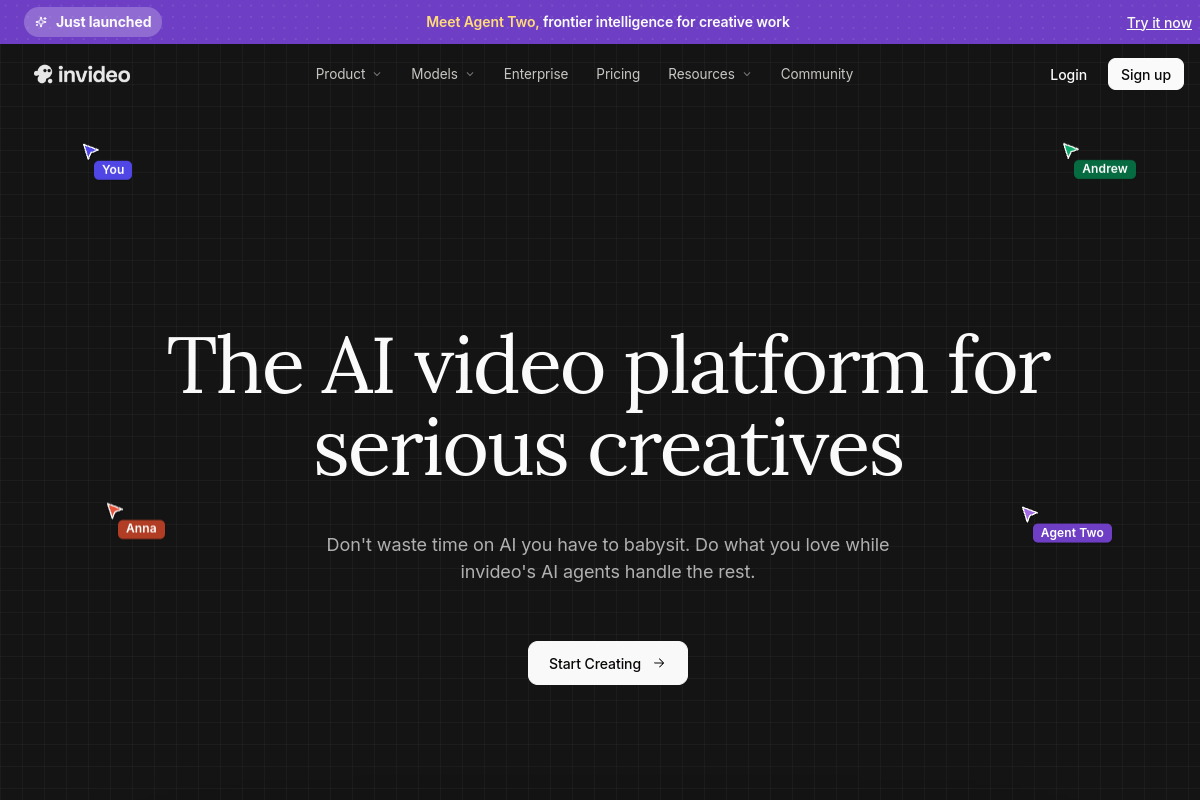
📷 InVideo’s current product site shows its AI-first marketing video creation experience. Source: vendor website/documentation.
💚 What we like
Prompt-led creation reduces the work required to build a usable first video draft.
Stock assets, templates and editing controls support practical marketing production in one environment.
Low entry pricing makes it accessible for small teams experimenting with AI-assisted video.
🟠 What to know
Generated first drafts still need brand, product-accuracy and claim review before publishing.
Complex bespoke edits are slower than in professional software once you move beyond the intended workflow.
💡 Why this score: InVideo scores well on accessibility, generation speed and value. Its ecommerce specificity and advanced editing control are lower than the leaders, but the combination of AI drafting and a usable editor makes it a practical choice for small teams producing many straightforward marketing videos.
💰 Pricing: Paid plans currently start around $20/seat/month billed annually, with usage credits and higher tiers for heavier generation. Check current plan limits before committing.
✅ Best fit: Small ecommerce teams and solo marketers who want AI help creating scripts and scenes but still need editable marketing-video projects.
🚫 Less ideal for: Professional post-production teams and brands needing rigorous product-detail preservation across complex generative transformations.
🧩 Key capabilities
Prompt to video
Stock media
Timeline editing
Text overlays
Voiceover tools
Templates
🔎 Official sources: Product · Pricing · Documentation
8️⃣ 8. Captions
85/100 · 💰 Budget · 🧩 Beginner · 🏢 SMB–Mid-market · ⚙️ No-code
🎯 Best for: Mobile-first social video automation, AI editing, captions and synthetic creator-style content
⚡ Choose Captions if your growth team needs social-first edits, subtitles and AI creator workflows more than traditional desktop post-production.
Captions is increasingly a full AI content production platform rather than a caption utility. Its AI Edit workflow can add captions, B-roll, music, transitions and motion graphics, while other tools cover avatars, translation, AI ads and synthetic creator formats. The product is especially aligned with short-form social production. Ecommerce teams should treat the synthetic-creator tools carefully: they are useful for fictional or disclosed spokesperson content, but should not be represented as genuine UGC from real customers.
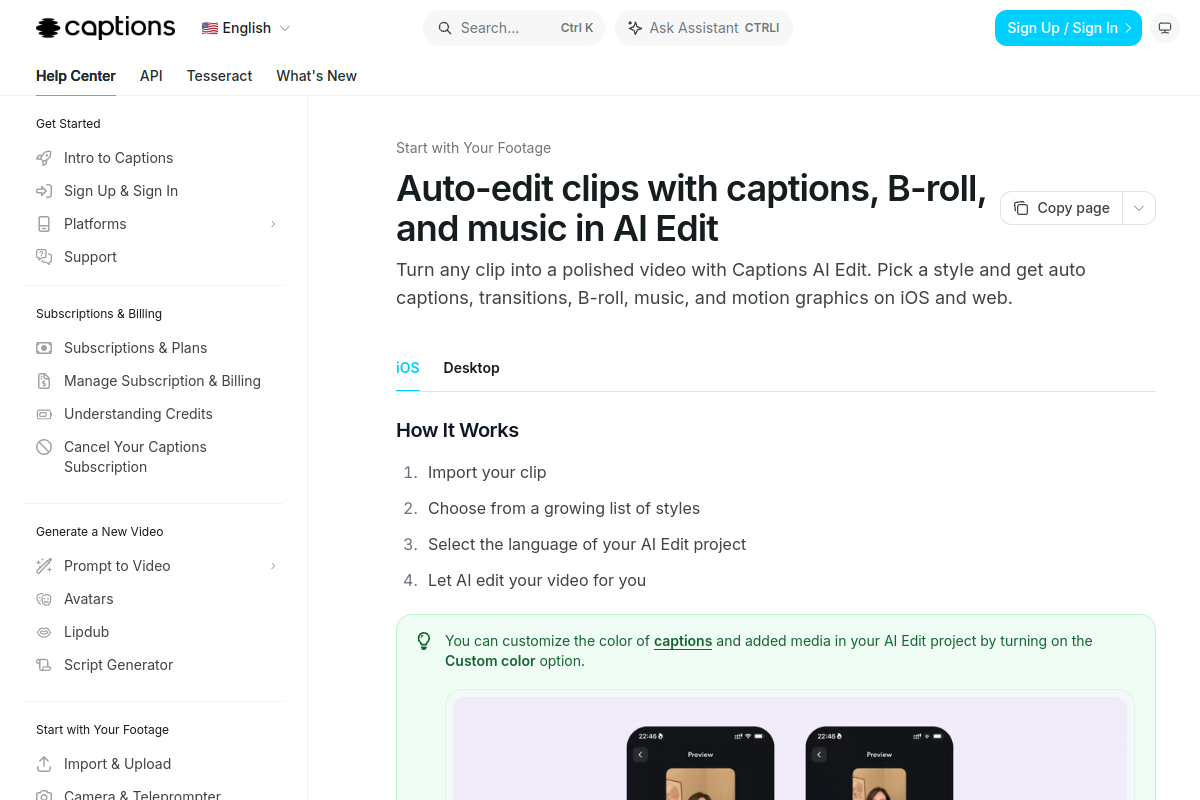
📷 Captions documentation demonstrates the AI Edit workflow for automatic social-video editing. Source: vendor website/documentation.
💚 What we like
AI Edit automates several repetitive short-form editing steps in a single workflow.
Social-first output, captions and mobile workflows fit creator-style paid and organic content.
Broader AI tools extend into translation, avatars, ads, voice and generated media.
🟠 What to know
The pricing page notes displayed self-serve prices reflect iOS plans, so platform pricing can differ.
Synthetic creator output needs clear internal rules around disclosure, testimonials and product claims.
💡 Why this score: Captions earns a strong score for short-form automation and breadth, but it trails the top tools on conventional editing depth and ecommerce-specific product workflows. It is most compelling when the job is producing and iterating creator-style social assets quickly rather than building complex master edits.
💰 Pricing: Max is $24.99/month and Scale starts at $69.99/month on the pricing page; Captions notes those displayed prices reflect iOS plans. Enterprise pricing is custom.
✅ Best fit: Paid-social teams, creators and agencies producing high volumes of captioned vertical video, AI edits and clearly disclosed synthetic-presenter content.
🚫 Less ideal for: Film-style editing teams or brands that rely heavily on authentic customer testimonials and real creator footage.
🧩 Key capabilities
AI Edit
Auto captions
AI Creator
AI Ads
Video translation
AI voiceover
🔎 Official sources: Product · Pricing · Documentation
9️⃣ 9. Descript
84/100 · 💰 Budget · 🧩 Beginner · 🏢 SMB–Mid-market · ⚙️ No-code
🎯 Best for: Text-first editing of product demos, interviews, tutorials, podcasts and repurposed social clips
⚡ Choose Descript if your raw material is speech-heavy and you want to edit video by editing the transcript.
Descript changes the editing model by making the transcript a primary control surface. Delete words and the corresponding footage changes, then use its timeline, scenes, captions, screen recording and AI tools for the rest. That is especially useful for product demos, webinars, founder videos, interviews and educational content. It ranks lower for pure ecommerce performance ads because product-ad generation is not its center of gravity, but for speech-led content the workflow can be dramatically easier than a traditional timeline.

📷 Descript’s timeline view combines transcript-based editing with detailed visual timing controls. Source: vendor website/documentation.
💚 What we like
Transcript-based editing is unusually fast for interviews, demos, webinars and talking-head material.
Screen recording, captions, scenes and audio enhancement support end-to-end tutorial production.
AI co-editing and repurposing features help convert long recordings into shorter social assets.
🟠 What to know
It is less optimized for direct-response product-ad generation than ecommerce-first AI tools.
Traditional editors still provide deeper visual, color and compositing control for complex footage.
💡 Why this score: Descript is excellent at the specific job of editing spoken content quickly. Its score reflects strong workflow innovation, collaboration and value, offset by lower ecommerce-ad specialization and less visual finishing depth than Premiere. Teams with speech-heavy source material may reasonably rank it much higher.
💰 Pricing: Free plan available. Hobbyist is $16/person/month billed annually, Creator $24, Business $50; monthly billing is higher and Enterprise is custom.
✅ Best fit: Teams creating product demos, founder content, interviews, webinars, podcasts and educational videos that need frequent edits and repurposing.
🚫 Less ideal for: Performance marketers whose main workflow starts from product URLs, AI actors or highly visual short-form ad concepts.
🧩 Key capabilities
Text-based editing
Transcription
Screen recording
Studio Sound
AI co-editor
Clip repurposing
🔎 Official sources: Product · Pricing · Documentation
🔟 10. Runway
83/100 · 💰 Budget · 🧩 Advanced · 🏢 SMB–Mid-market · ⚙️ Specialist-led
🎯 Best for: Generative video teams that need to create, restyle or selectively transform footage with AI
⚡ Choose Runway if you need generative footage and prompt-driven visual changes that conventional editors cannot produce.
Runway is the most technically ambitious generative-video platform in this list. Its Edit Studio and Aleph workflow can modify real footage with prompt-driven changes, while the wider platform generates video and images with multiple models. For ecommerce, this can enable new backgrounds, product colorway concepts, visual experiments and campaign footage without a full reshoot. The trade-off is product fidelity: generative transformations require careful review whenever exact packaging, logos, materials or regulated claims must remain unchanged.
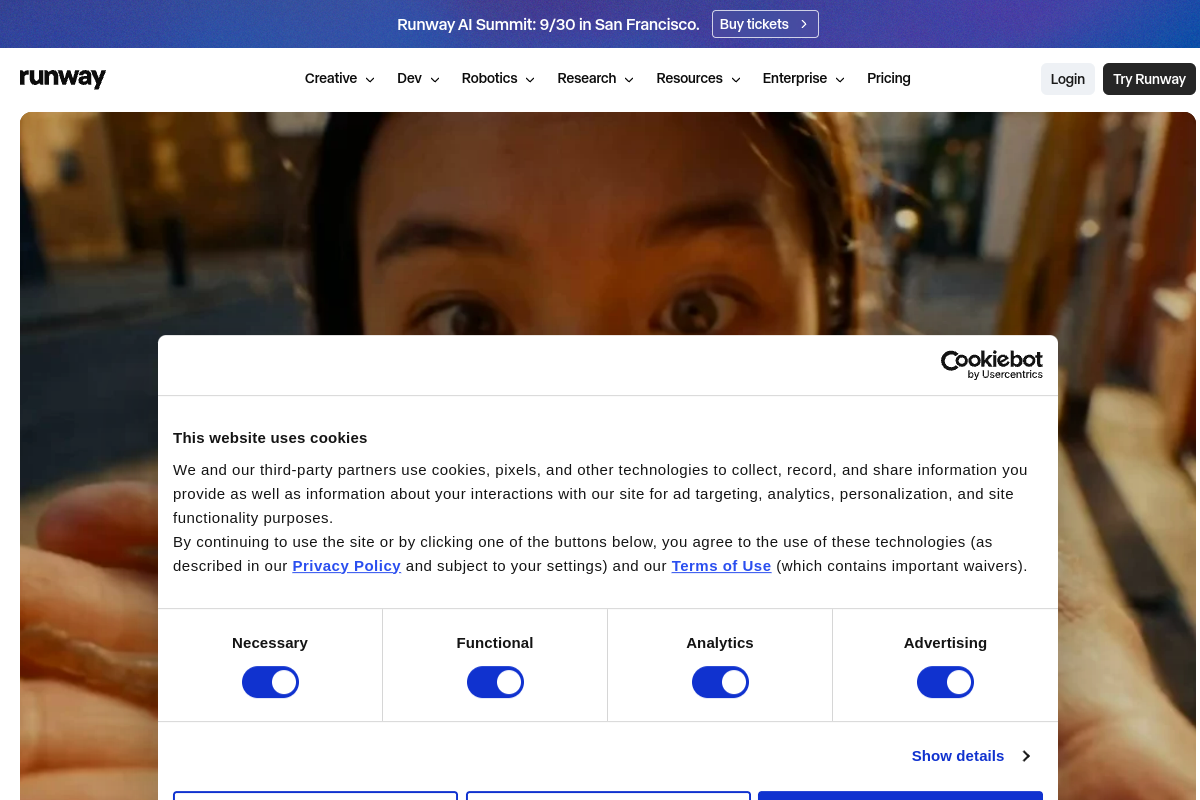
📷 Runway’s AI Video Editor page shows the Edit Studio workflow for prompt-driven footage changes. Source: vendor website/documentation.
💚 What we like
Generative editing can change backgrounds, lighting, style or selected visual elements without a reshoot.
Edit Studio adds a purpose-built surface for prompt-driven edits across short sequences.
Plugins connect generative work back into Premiere Pro and other professional editing environments.
🟠 What to know
Generated or modified product details can drift, so every commercial asset needs accuracy review.
Credit consumption can rise quickly when teams explore many generations or premium models.
💡 Why this score: Runway scores highly on advanced capability and creative range, but lower on ecommerce reliability and beginner simplicity. It is best treated as a generative layer beside an editing workflow, not as an automatic source of product truth. Skilled teams can get exceptional creative leverage from it.
💰 Pricing: Free plan includes a small one-time credit allowance. Standard is $15/month or $12/month billed annually; Pro $35/$28; Max $95/$76. Generative usage consumes credits.
✅ Best fit: Creative teams and agencies exploring generative campaign footage, visual variants, background changes and AI-assisted transformations alongside professional editing.
🚫 Less ideal for: Teams that need guaranteed pixel-level product accuracy or a predictable fixed cost for very high generation volume.
🧩 Key capabilities
Generative video
Edit Studio
Aleph editing
Multi-model generation
Adobe plugins
Video upscaling
🔎 Official sources: Product · Pricing · Documentation
11. Arcads
82/100 · 💰 Enterprise price · 🧩 Intermediate · 🏢 SMB–Mid-market · ⚙️ No-code
🎯 Best for: Performance marketers creating AI actor and UGC-style ad concepts at high creative volume
⚡ Choose Arcads if your bottleneck is producing many actor-led ad concepts rather than editing complex source footage.
Arcads is tightly focused on AI advertising. It offers a large library of AI actors plus tools for generating, translating, extending, subtitling, upscaling and remixing ads, with workflows aimed at paid-social teams. Its ecommerce pages emphasize product-showcase and actor-led formats. The score is held back by less transparent public pricing and a narrower use case than broad editors. As with every AI-actor platform, marketers should distinguish synthetic ad talent from real customers and genuine creator endorsements.

📷 Arcads’ current product site demonstrates its AI ad creation and workflow environment. Source: vendor website/documentation.
💚 What we like
AI actor library and ad presets map directly to common performance-marketing creative formats.
The workflow combines generation with practical ad refinement such as translation and remixing.
Ecommerce use cases include product showcases and actor-led creative designed for rapid testing.
🟠 What to know
Public pricing is not transparently listed, making cost comparison harder before account creation.
Synthetic UGC-style ads must not imply that fictional AI actors are real customers or independent creators.
💡 Why this score: Arcads has excellent category-specific relevance for paid-social creative, but lower pricing transparency and narrower editing scope reduce its overall score. It can be extremely useful for high-volume ad teams, while general ecommerce teams may get more coverage from a broader editor or creative suite.
💰 Pricing: Pricing is not publicly listed on the main site. Arcads requires an active subscription and uses credits; verify current plans and credit economics inside billing before purchase.
✅ Best fit: DTC brands and performance agencies that need many actor-led paid-social concepts and clearly disclosed synthetic UGC-style variants.
🚫 Less ideal for: Teams seeking a general-purpose editor for long-form content, complex timeline work or authentic customer testimonial production.
🧩 Key capabilities
AI actors
UGC Studio
Product showcase
Ad presets
Video translation
Creative workflows
🔎 Official sources: Product · Pricing · Documentation
12. Synthesia
80/100 · 💰 Budget · 🧩 Intermediate · 🏢 Mid-market–Enterprise · ⚙️ No-code
🎯 Best for: Governed enterprise avatar video for repeatable explainers, training and localized business content
⚡ Choose Synthesia if your priority is controlled business video at enterprise scale rather than performance-ad creative experimentation.
Synthesia is a mature AI-video platform built for repeatable business content with avatars, templates, branding and localization. It is strong for training, internal communications, onboarding and structured explainers, including product education. It ranks last here because this page is specifically about ecommerce video and ad production, where its business-video orientation is less aligned than the other tools. For a large organization that values governance and consistent presenter-led output, however, it can be a better fit than its rank suggests.
📷 Synthesia’s editor shows an avatar-led scene inside its browser-based video creation workflow. Source: vendor website/documentation.
💚 What we like
Structured templates, avatars and brand controls support repeatable business-video production.
Localization and dubbing make it practical to maintain many language versions of the same content.
Enterprise positioning and governance fit larger organizations with standardized content workflows.
🟠 What to know
Its core strengths are business communication and training rather than fast-moving ecommerce ad creative.
Avatar-led formats can feel less native in social feeds than real creator footage or direct product demonstrations.
💡 Why this score: Synthesia is a capable and well-developed platform, but the ranking weights ecommerce performance content heavily. It therefore scores lower on category fit despite strong enterprise, localization and repeatability capabilities. Large organizations creating product education may value it more than paid-social teams would.
💰 Pricing: Basic is free; Starter is $29/month and Creator $89/month on monthly billing; Enterprise is custom. Plan limits are based on credits and video usage.
✅ Best fit: Mid-market and enterprise teams creating standardized product education, customer training, onboarding and localized presenter-led business videos.
🚫 Less ideal for: DTC growth teams primarily optimizing short-form direct-response ads, authentic creator content or complex edited footage.
🧩 Key capabilities
AI avatars
Video templates
Brand controls
AI dubbing
Localization
Enterprise governance
🔎 Official sources: Product · Pricing · Documentation
🎯 Which tools should you actually shortlist?
If you run high-volume performance ads: shortlist Creatify, CapCut and Arcads. They cover product-led generation, fast editing and AI actor concepts from complementary angles.
If you have a professional creative team: shortlist Adobe Premiere, Runway and VEED. Premiere handles precise masters, Runway adds generative transformations and VEED supports quick browser collaboration.
If speed and simplicity matter most: shortlist CapCut, Canva and VEED. All three let non-specialists produce strong marketing video without building a complex production stack.
If presenter-led localization is the bottleneck: shortlist HeyGen and Synthesia, then test translation quality, pronunciation, avatar naturalness, governance and approval workflows with real scripts.
If your source material is speech-heavy: shortlist Descript and CapCut. Descript is strongest for transcript-led edits; CapCut is stronger for social packaging and visual finishing.
If you want AI to create the first draft: shortlist InVideo, Creatify and Captions. Compare how much manual cleanup each requires before a brand-safe, product-accurate asset is ready.
🧪 Run this test before you buy
Do not judge these tools from a vendor demo. Give every finalist the same product assets, brief, claims and target channels, then measure how much work remains before the video is publishable. For AI tools, repeat the test several times to expose inconsistency. For editors, use the same raw footage and deadline. The winner should reduce real production time while preserving brand, product accuracy and legal review standards.
Create one 20-second 9:16 paid-social ad from the same product brief and asset folder.
Create a second concept with a materially different hook, pacing and visual structure.
Resize or rebuild the winning concept for 1:1 and 16:9 without breaking text or product framing.
Add accurate captions, brand fonts, colors, logo placement and a compliant call to action.
Change one product claim and measure how quickly the team can update every affected variant.
For AI generators, compare packaging, colors, product geometry and logos against the source assets frame by frame.
For avatar tools, generate two languages and review pronunciation, lip sync, gestures and disclosure requirements.
Invite a second teammate to review, comment or revise the project and record the handoff friction.
Export the final video in the required resolution and check watermarks, compression, licensing and commercial-use rights.
Calculate the true cost per approved video including seats, credits, failed generations and human editing time.
📏 Record the same things for every vendor: time to first usable draft, total hands-on minutes, number of regenerations or revisions, product-accuracy errors, brand corrections, export quality, collaboration friction, credits consumed and final cost per approved asset.
🧾 10 questions to ask in every demo
Which features are included in our plan, and which consume separate AI or generation credits?
How are failed generations, retries and draft previews charged against usage?
What commercial usage rights apply to stock media, generated footage, avatars, voices and music?
Can we lock brand fonts, colors, logos, disclaimers and templates for the whole team?
How does the product preserve exact packaging, logos, colors and product geometry in AI-generated scenes?
What review, approval, version history and collaboration controls are available for teams?
Which aspect ratios, resolutions, frame rates and export formats are supported on our intended plan?
How are uploaded product assets, voice samples and customer data stored, used and deleted?
What localization features cover translation, captions, dubbing, lip sync and pronunciation controls?
What changes when we scale from a few videos per month to hundreds of variants across markets?
❓ Frequently asked questions
What are ecommerce video creation and AI ad tools?
They are software products used to create, edit, localize or generate videos for ecommerce marketing and product education. The category now includes conventional editors, browser editors, AI avatar platforms, automated ad generators and generative-video systems. The right tool depends on the starting material and job: editing real footage is different from generating a synthetic presenter, and both are different from generating entirely new footage.
What is the difference between a video editor and an AI video generator?
A video editor primarily arranges and modifies footage, audio, text and graphics you already have. An AI video generator creates new scenes, presenters or edits from prompts and other inputs. Many products now combine both models, but the distinction still matters for control and product accuracy. Traditional editors preserve source footage more predictably; generative tools can create options faster but require closer review of what changed.
What is the best video tool for TikTok and Instagram ecommerce ads?
For rapid social editing, CapCut is a strong general choice because it combines a fast timeline with captions, templates and short-form workflows. For product-led AI ad generation, Creatify is more specialized. Canva is a strong option when the same team also manages everyday brand design. The best choice still depends on whether you start from real creator footage, product assets, a URL or a prompt.
How much does ecommerce video software cost?
Entry prices range from free plans to roughly $15–$100 per month for many self-serve editors and AI tools. The important cost is often usage rather than the headline subscription: generative platforms may charge credits per generation, premium model or video minute. Larger teams can also add seat, storage, governance and enterprise fees. Compare cost per approved, usable asset rather than simply comparing the cheapest plan.
How difficult is it to implement ecommerce video software?
Most tools on this page are no-code and can be tested in a day, but implementation becomes harder when you need brand governance, approval workflows, shared templates, asset libraries, localization or APIs. Professional editors also require skill even when installation is simple. Start with one repeatable use case, define who owns the creative brief and approvals, then expand after you can measure production time and output quality.
Can AI actors be used as customer testimonials or UGC?
AI actors can be useful as synthetic presenters or fictional ad talent, but they are not real customers and should not be represented as genuine testimonials or authentic user-generated content. Keep claims truthful, make the nature of synthetic talent clear where required, and follow the advertising rules in each market and platform. If social proof is important, use real customer evidence or real creators rather than manufacturing implied customer experience.
🔍 About this research
MarketMaze researches and scores each tool using its proprietary scoring methodology. Product details and pricing are checked against official vendor sources. Screenshots are from vendor websites, documentation, official demos, or MarketMaze product captures and are used to illustrate the products being reviewed.
Last research check: 25 September 2026.
No affiliate links were used in this research page.
