
MARKETMAZE · ECOMMERCE TOOLS · RESEARCH
10 Best Product Photography & AI Image Editing Tools (2026)
AI product-photo tools now cover everything from one-click cutouts to batch catalog production, virtual scenes and fashion-model generation. We compared 10 tools on product fidelity, workflow control, ecommerce fit, pricing and scale.
Updated 25 September 2026 · Pricing and product claims checked against official vendor sources.
👋 New to this category?
This page focuses on software that starts with a real product image and helps ecommerce teams clean it up, remove or replace the background, generate new scenes, retouch details, create on-model fashion imagery or process large batches. It is not a ranking of general graphic-design suites or campaign-layout tools. The key question is how reliably each product turns source product photography into publishable catalog and merchandising assets while preserving the product itself.
🧭 Jump to a tool
🏆 The quick answer
🏆 Best overall: Photoroom
The broadest mix of catalog editing, AI scenes, batch work and scale.
🌱 Best for getting started: Pixelcut
Fast learning curve, clear pricing and strong everyday batch tools.
💸 Best value: Pebblely
Low-cost AI product scenes with bulk generation on paid tiers.
🏢 Best for larger teams: Claid.ai
API-led image operations, batch processing and higher-volume plans.
🧠 Best for advanced users: Adobe Photoshop
Maximum control for retouching, masks, color and exceptions.
🎨 Best for generative backgrounds: Adobe Firefly
Flexible image generation and editing inside Adobe workflows.
Comparison table
Rank | Tool | Score | Best for | Pricing |
|---|---|---|---|---|
#1 | Photoroom | 94/100 | Overall ecommerce workflow | Free; paid Pro, Max & Ultra; Enterprise custom |
#2 | Pixelcut | 91/100 | Fast start and bulk editing | Free; Pro $10/mo; Business $30/mo |
#3 | Claid.ai | 89/100 | API-led image production | Essential $15; Pro $49; Business custom |
#4 | Adobe Photoshop | 88/100 | Precise professional retouching | US$22.99/mo on annual plan billed monthly |
#5 | Pebblely | 84/100 | Simple AI product scenes | Lite $9; Basic $19; Pro $39/mo |
#6 | Flair AI | 83/100 | Art-directed AI compositions | Free; Pro $8; Pro+ $26; Scale from $38/mo |
#7 | Adobe Firefly | 82/100 | Generative backgrounds | Free; Standard $9.99; Pro $19.99/mo |
#8 | Mokker AI | 79/100 | Simple background studio | Free allowance; Starter from $13/mo annual |
#9 | Botika | 78/100 | AI fashion-model photography | Paid Pro/Advanced; Enterprise custom |
#10 | remove.bg | 77/100 | Dedicated background removal | Pay-as-you-go from $3; subscription from $9/mo |
How we scored these tools
This ranking uses MarketMaze proprietary scoring.
We scored each tool across six weighted dimensions: core job performance (30%), ecommerce fit (20%), workflow and control (15%), integrations and implementation (15%), pricing and value (10%), and scale or advanced capabilities (10%). Scores reflect the product category on this page, not a universal software ranking.
Do you even need product photography software?
Use it to standardize a catalog
If your team repeatedly removes backgrounds, crops to marketplace formats, applies shadows or cleans thousands of SKU images, dedicated tooling can reduce manual production time and improve consistency.
Use it to expand creative output
If the product photography is usable but you need more scenes, contexts or on-model variants, generative tools can create additional merchandising assets without organizing a full shoot for every concept.
Keep human review in the loop
If labels, dimensions, fabric details, reflections or regulated product claims matter, treat AI output as production material to review rather than an automatic source of truth. Product fidelity should beat visual novelty.

1. Photoroom
94/100 · Free + paid plans · Low complexity · SMB to enterprise · Setup: minutes
Best for: Best overall for ecommerce product-image workflows
Decision hook: Choose Photoroom when you need one workflow for cutouts, AI scenes, catalog consistency and high-volume exports.
Photoroom is the strongest all-round choice for ecommerce teams because it combines fast background removal with product-focused AI backgrounds, resizing, retouching and batch editing. Its workflow is built around repeatable catalog production rather than one-off design work, and it extends from a self-serve editor into API and enterprise use. The main trade-off is that export and AI-credit allowances vary by plan, so high-volume teams should model usage before committing.
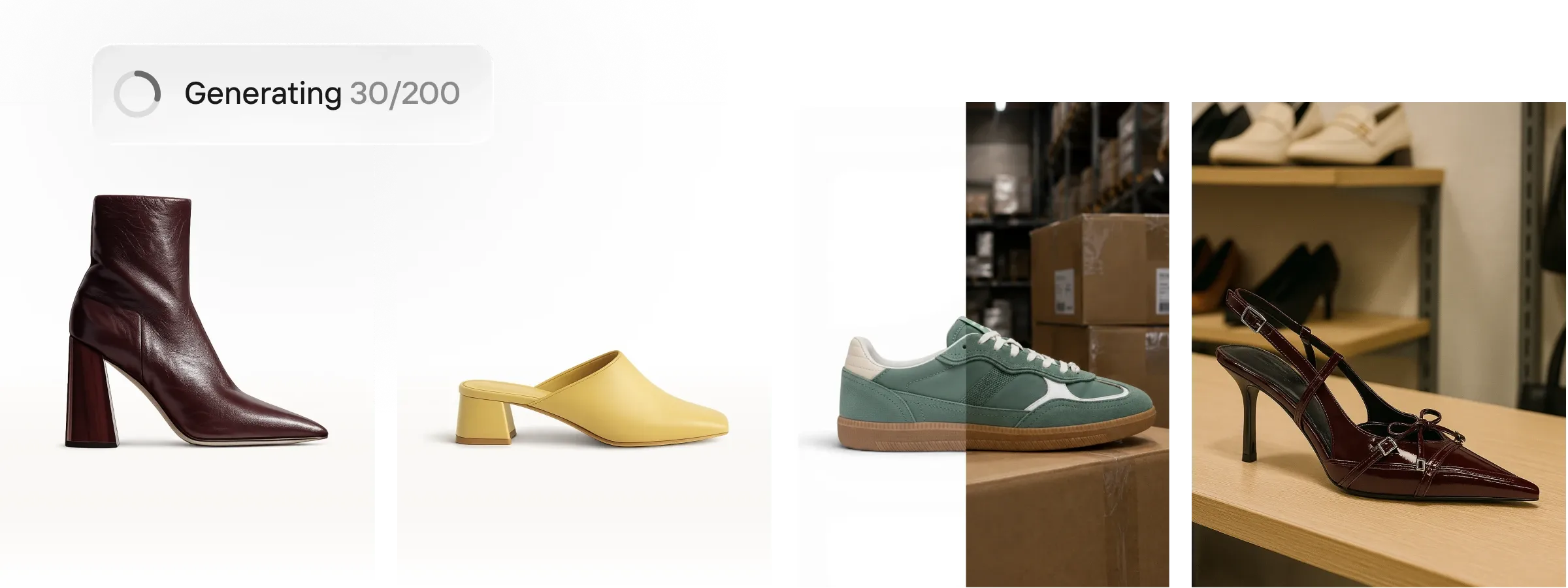
What we like
Product-focused editing workflow with batch tools and reusable visual treatment.
Strong background removal plus AI scene generation in the same product.
API and enterprise options make it practical beyond individual creators.
What to know
Paid tiers combine export allowances with AI-credit limits, so usage needs monitoring.
AI-generated scenes still need visual QA for reflections, shadows, labels and product geometry.
Why it scored 94/100: Highest score for the combination of ecommerce fit, cutout quality, background control, batch production and a credible path from individual use to API-scale workflows.
Pricing: Free plan. Paid Pro, Max and Ultra tiers use monthly export and AI-credit allowances; Enterprise is custom.
Best fit: Retailers, marketplaces, agencies and catalog teams producing many SKU images with consistent backgrounds and formats.
Less ideal for: Teams whose work is mostly detailed pixel-level retouching or complex compositing may still need Photoshop.
Key capabilities
Background removal
AI product backgrounds
Batch editing
Resize and marketplace formats
Retouching and object cleanup
API and enterprise workflows
Official sources: Product · Pricing · Documentation

2. Pixelcut
91/100 · Free · Pro $10/mo · Business $30/mo · Low complexity · Setup: minutes
Best for: Best fast-start option for small ecommerce teams
Decision hook: Choose Pixelcut when speed, simple collaboration and large batch jobs matter more than deep retouching controls.
Pixelcut packages background removal, generative editing, upscaling and product photography into a simple web and mobile workflow. Its bulk editor is unusually practical for smaller ecommerce teams, with tools for removing backgrounds, resizing, cropping, adding shadows, watermarks and brand elements across large image sets. Pro and Business plans are easy to understand, although generative work consumes credits and the product offers less granular retouching control than a full professional editor.

What we like
Clear self-serve pricing and a capable free entry point.
Bulk workflows cover common catalog cleanup and formatting tasks.
Good balance of AI generation, editing and team access for non-designers.
What to know
Generative features are credit-based even when some standard editing features are unlimited.
Less suited to advanced masking, color work and precision compositing than Photoshop.
Why it scored 91/100: Scores highly on value, usability and batch operations, with enough ecommerce-specific tooling to cover most catalog and marketplace production needs.
Pricing: Free. Pro $10/month or $8/month billed yearly. Business $30/month or $24/month billed yearly.
Best fit: Small and mid-size ecommerce teams that want quick background, resize, upscale and batch workflows without specialist design skills.
Less ideal for: High-end retouching teams that need deep color, masking and layer control.
Key capabilities
Background removal
AI backgrounds
Bulk editing up to large image sets
Upscaling
Resize and crop
Team collaboration
Official sources: Product · Pricing · Documentation

3. Claid.ai
89/100 · Essential $15 · Pro $49 · Business custom · Medium complexity · Setup: hours
Best for: Best for API-led image production at scale
Decision hook: Choose Claid.ai when your image workflow needs automation, batch processing and API integration rather than a creator-first editor.
Claid.ai is oriented toward structured, high-volume image operations. It combines enhancement, background removal, AI photoshoots, product scene generation and image editing with API access and batch capabilities on higher tiers. That makes it particularly relevant for marketplaces, studios and platforms that want image improvement embedded inside an operational workflow. It is less intuitive than the most consumer-friendly tools, but the stronger automation story justifies that complexity for technical teams.
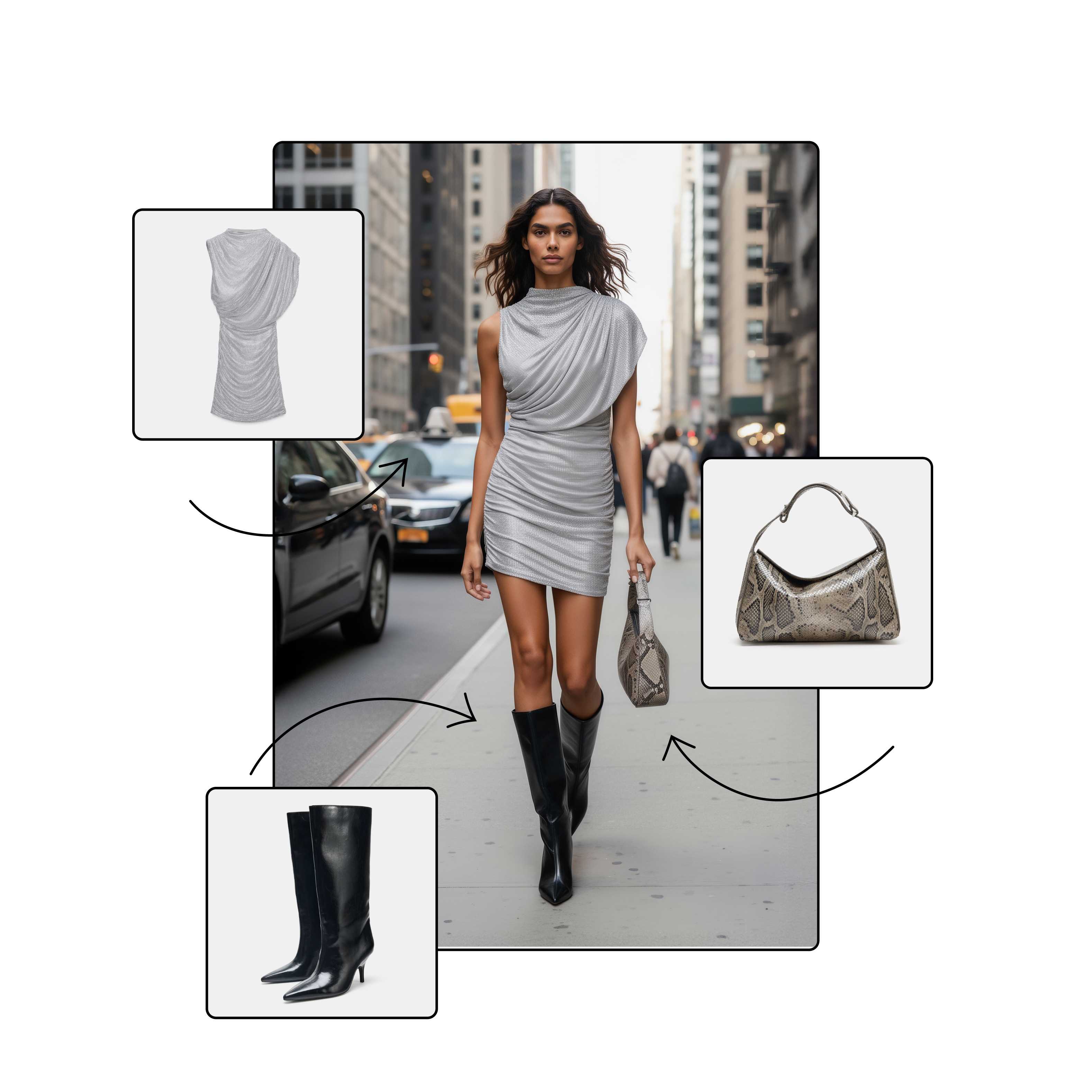
What we like
Strong API-first positioning for automated image pipelines.
Useful mix of enhancement, generation, background and product-photo tooling.
Pro and Business plans support more operationally demanding workflows.
What to know
Teams need to understand credit consumption and resolution costs before forecasting spend.
More setup and workflow design than lightweight creator tools.
Why it scored 89/100: Very strong integrations and scale score, combined with solid core image quality and ecommerce relevance.
Pricing: Essential: 500 credits for $15. Pro: 2,000 credits for $49. Business: custom.
Best fit: Marketplaces, image-production teams and technical ecommerce businesses automating image enhancement and generation.
Less ideal for: Solo merchants who only need a quick background remover or occasional lifestyle image.
Key capabilities
AI photoshoots
Background removal
Image enhancement
2K and 4K outputs
Batch processing
Image API
Official sources: Product · Pricing · Documentation

4. Adobe Photoshop
88/100 · US$22.99/mo · High complexity · Pro teams · Setup: hours
Best for: Best for precise professional retouching and control
Decision hook: Choose Photoshop when product fidelity, masks, color correction and manual review matter more than one-click automation.
Adobe Photoshop remains the control benchmark for detailed ecommerce image work. Precise selections, masking, Remove, Generative Fill and layer-based compositing let skilled editors fix edge cases that automated product-photo tools can miss. It is especially useful when packaging text, reflections, fine materials or brand-critical color need human judgment. The downside is workflow overhead: Photoshop is not primarily a catalog operations system, so batch production and ecommerce automation require more process design or companion tools.

What we like
Deepest manual control in this list for masking, cleanup and compositing.
Generative Fill and Remove accelerate edits without giving up layer-based review.
Strong fit for brand-critical assets where fidelity matters more than speed.
What to know
Steeper learning curve and more hands-on time than ecommerce-first AI editors.
Not a turnkey bulk catalog pipeline by itself.
Why it scored 88/100: Near-perfect score for core editing and control, offset by weaker ecommerce workflow automation and greater implementation complexity.
Pricing: Photoshop single-app plan: US$22.99/month on an annual plan billed monthly, including 100 GB storage and monthly generative credits.
Best fit: In-house creative teams, agencies and retouchers handling high-value product images and exceptions from automated pipelines.
Less ideal for: Merchants looking for one-click bulk catalog cleanup with minimal training.
Key capabilities
Advanced selections and masking
Layer-based retouching
Generative Fill
Object removal
Color and tone correction
Desktop, web and mobile editing
Official sources: Product · Pricing · Documentation

5. Pebblely
84/100 · Lite $9 · Basic $19 · Pro $39/mo · Low complexity · Setup: minutes
Best for: Best value for simple AI product scenes
Decision hook: Choose Pebblely when you mainly want inexpensive, fast lifestyle backgrounds around existing product cutouts.
Pebblely focuses tightly on turning a product image into polished AI lifestyle scenes. It is simple to learn, relatively inexpensive and supports bulk generation on its Basic and Pro plans, making it attractive for smaller catalog teams that need more visual variety without building a studio workflow. Its narrower scope is also its limitation: it does not replace a full retouching suite or a sophisticated image operations platform, but it is efficient for the job it is designed to do.

What we like
Low-cost entry point for AI product photography.
Bulk generation is available on the mid and top self-serve tiers.
Simple workflow makes it accessible to non-designers.
What to know
Narrower editing and automation surface than Photoroom, Pixelcut or Claid.ai.
Generated scenes still need review for product geometry, labels and physically plausible shadows.
Why it scored 84/100: Strong value and product-photo focus, but lower scores for integrations, advanced control and enterprise-scale workflow depth.
Pricing: Lite $9/month for 30 images. Basic $19/month for 200 images. Pro $39/month for 500 images. Annual billing discounts are available.
Best fit: Small brands, marketplace sellers and lean creative teams producing lifestyle variants from existing product photos.
Less ideal for: Large organizations needing API-led image pipelines or deep retouching controls.
Key capabilities
AI product scenes
Background generation
Reference-driven looks
Bulk generation
Product image reuse
Commercial output ownership
Official sources: Product · Pricing · Documentation
6. Flair AI
83/100 · Free · Pro $8 · Pro+ $26 · Scale from $38/mo · Medium complexity · Setup: hours
Best for: Best for art-directed AI product compositions
Decision hook: Choose Flair AI when you want to compose branded scenes with props, templates and model workflows rather than just replace a background.
Flair AI sits between a product-photo generator and a creative composition tool. Its canvas-style workflow lets teams place products, props and visual references, while fashion and custom-model features broaden the use case beyond standard packshots. Paid tiers add commercial licensing and larger generation allowances, with Scale and Enterprise options extending toward API and team workflows. It is powerful for art direction, but its generation quotas mean high-volume catalog teams should test economics carefully.
What we like
More art-direction flexibility than basic prompt-only background generators.
Supports product scenes, fashion workflows, templates and collaboration.
Self-serve plans progress into Scale and Enterprise options.
What to know
Image and video generation limits vary by tier.
Creative flexibility can increase review effort because more of the scene is generated.
Why it scored 83/100: Strong workflow and control plus differentiated art direction, balanced by generation limits and a less mature high-volume catalog workflow than the leaders.
Pricing: Free. Pro $8/month. Pro+ $26/month. Scale Tier 1 starts at $38/month. Enterprise is custom.
Best fit: Creative ecommerce teams building branded campaign-style product scenes and fashion imagery.
Less ideal for: Operations teams whose main need is deterministic bulk cleanup and format conversion.
Key capabilities
Drag-and-drop product scenes
AI props and backgrounds
Custom models
Fashion workflows
Templates and collaboration
Scale and Enterprise API options
Official sources: Product · Pricing · Documentation
7. Adobe Firefly
82/100 · Free access · Standard $9.99 · Pro $19.99/mo · Low-medium complexity · Setup: minutes
Best for: Best for flexible generative backgrounds and Adobe workflows
Decision hook: Choose Firefly when you want broad generative editing, multiple visual models and easy handoff into the Adobe ecosystem.
Adobe Firefly provides generative image creation and editing rather than a dedicated ecommerce catalog workflow. For product teams, its strongest uses are background generation, Generative Fill, removal, expansion and rapid concept variants. Paid plans bundle generative credits, while standard image features on eligible paid plans can be used extensively. Firefly is particularly convenient for teams already using Adobe tools, but ecommerce-specific batch operations, SKU governance and catalog automation are less central than in Photoroom or Claid.ai.
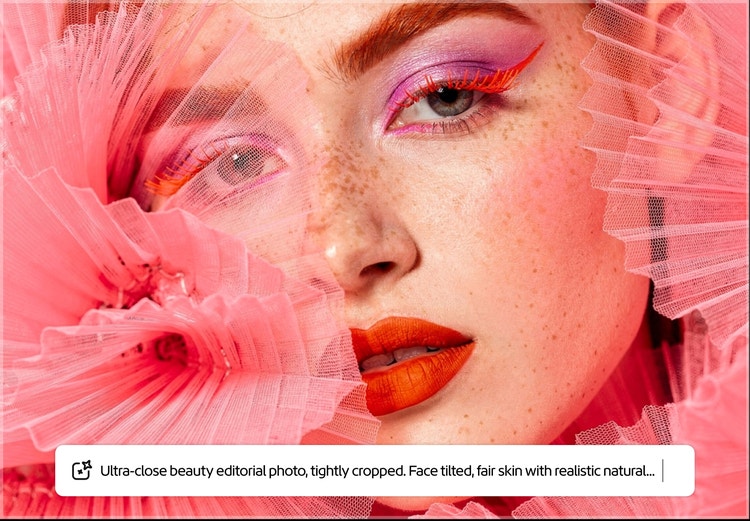
What we like
Broad generative editing toolkit with strong Adobe integration.
Useful for product backgrounds, expansion, cleanup and rapid creative variants.
Multiple paid tiers let teams scale generative credit capacity.
What to know
Third-party partner models can have different commercial terms from Adobe Firefly models.
Less ecommerce-specific batch and catalog workflow structure than dedicated product-photo platforms.
Why it scored 82/100: High creative capability and ecosystem fit, with points lost for ecommerce-specific workflow depth and operational automation.
Pricing: Free access available. Standard $9.99/month with 2,000 credits; Pro $19.99/month with 4,000 credits; higher Pro Plus and Premium tiers are available.
Best fit: Adobe-centric creative teams that want generative backgrounds and edits alongside broader campaign production.
Less ideal for: Catalog operations teams that need deterministic batch processing and ecommerce-specific output governance.
Key capabilities
Generative backgrounds
Generative Fill
Object removal
Generative Expand
Image generation
Adobe app integration
Official sources: Product · Pricing · Documentation
8. Mokker AI
79/100 · Free trial · Starter from $13/mo annual · Low complexity · Setup: minutes
Best for: Best simple background studio for product shots
Decision hook: Choose Mokker AI when your main job is turning a basic product cutout into many styled scenes with templates and references.
Mokker AI is a focused virtual product studio. You upload a product photo, select or guide a scene, and generate new backgrounds without setting up a physical shoot. Its Moodboard feature adds reference-image control, and the product offers more than 100 templates for common visual directions. Pricing remains approachable for smaller teams, although Mokker’s workflow is narrower than the leading all-in-one editors and the service is now closely connected with soona for support and broader production needs.

What we like
Fast, focused workflow for product background generation.
Moodboards provide visual reference control beyond text prompts.
Starter pricing is accessible for small teams.
What to know
Less comprehensive for retouching, cutout operations and catalog governance.
Teams should evaluate the current Mokker and soona product path when planning a long-term workflow.
Why it scored 79/100: Good simplicity and value for generated scenes, with lower integration and advanced-control scores than broader platforms.
Pricing: Free allowance available. Starter from $13/month on annual billing. Team from $29/user/month annually; Organization from $83.25/user/month annually.
Best fit: Small ecommerce brands that need quick, varied product scenes without a studio.
Less ideal for: Complex enterprise image pipelines or teams that need detailed retouching and automation.
Key capabilities
AI product backgrounds
100+ templates
Moodboard references
Props and scene styling
High-quality outputs
Team and organization plans
Official sources: Product · Pricing · Documentation
9. Botika
78/100 · Paid plans · Enterprise custom · Medium complexity · Fashion specialist · Setup: hours
Best for: Best specialist for AI fashion-model photography
Decision hook: Choose Botika when the real problem is producing on-model apparel imagery from flat lays, mannequins or existing fashion photos.
Botika is the specialist choice in this list. Instead of treating every product category the same, it focuses on fashion imagery: swapping or generating models and backgrounds, turning flat lays and mannequin photos into on-model shots, and creating fashion video. That can remove a major production bottleneck for apparel retailers. It is intentionally less useful for general merchandise, and high-stakes fashion outputs still need human review for garment details, fit, hands and brand consistency.
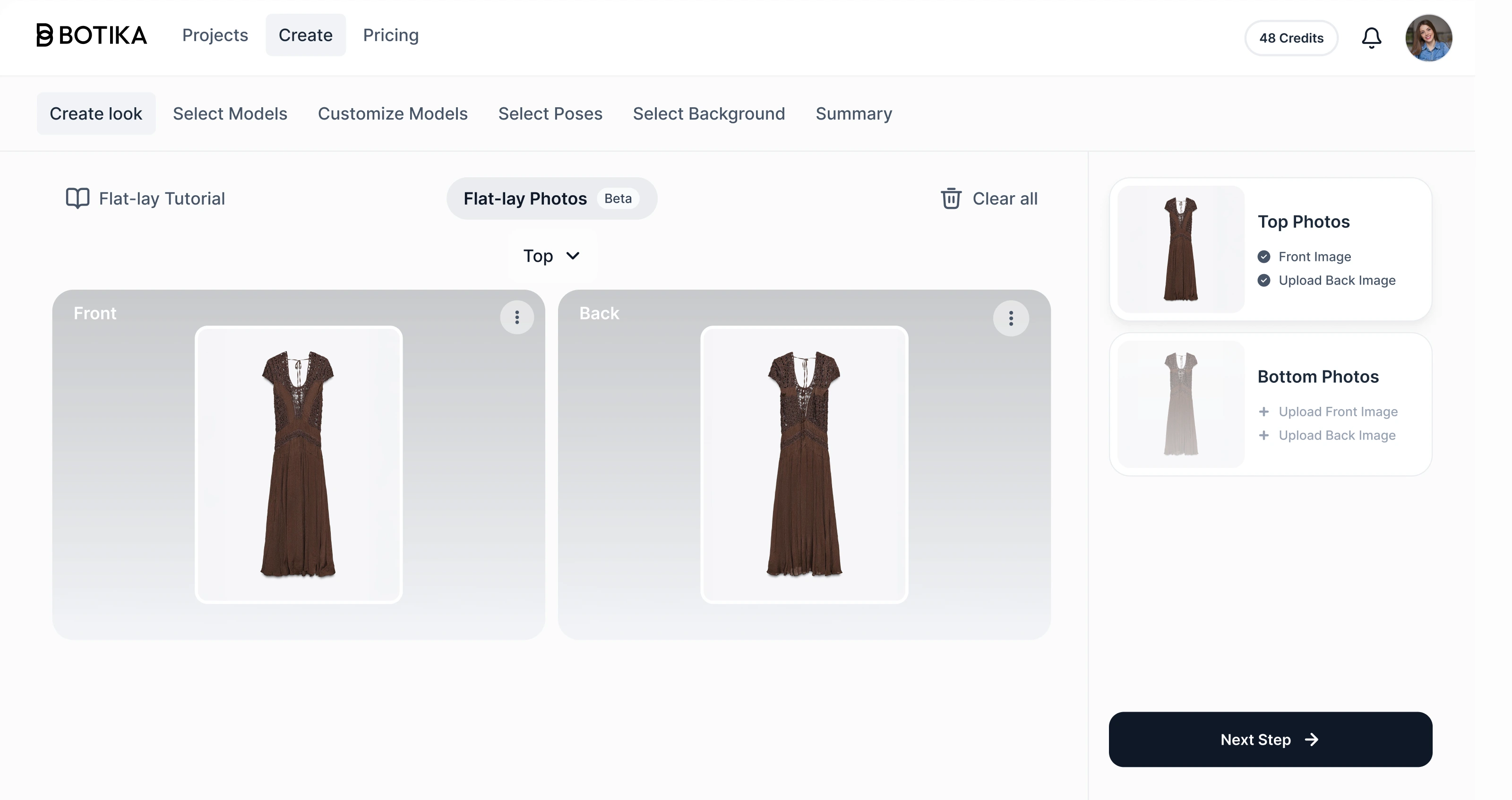
What we like
Purpose-built for fashion ecommerce rather than generic image generation.
Handles flat lay, mannequin and on-model workflows.
Enterprise options add custom models and more managed production support.
What to know
Not a general product-photography editor for categories such as furniture or electronics.
Garment details and body interactions need careful QA before publishing.
Why it scored 78/100: Excellent specialist ecommerce fit for apparel, but a narrower core job and fewer general-purpose image operations reduce its overall score.
Pricing: Paid Pro and Advanced plans with annual discounts; Enterprise pricing is custom. Botika’s product pages advertise entry pricing from $25/month, while the current pricing page varies by plan and billing term.
Best fit: Fashion brands and retailers scaling on-model imagery across large apparel catalogs.
Less ideal for: Non-fashion merchants or teams that only need background removal and general product scenes.
Key capabilities
On-model generation
Flat lay to model
Mannequin to model
Model and background changes
Fashion video
Team and enterprise workflows
Official sources: Product · Pricing · Documentation
10. remove.bg
77/100 · Pay-as-you-go from $3 · Subscription from $9/mo · Low complexity · Setup: minutes
Best for: Best dedicated background-removal utility
Decision hook: Choose remove.bg when cutout speed, API access and background consistency are the job, not full-scene creative production.
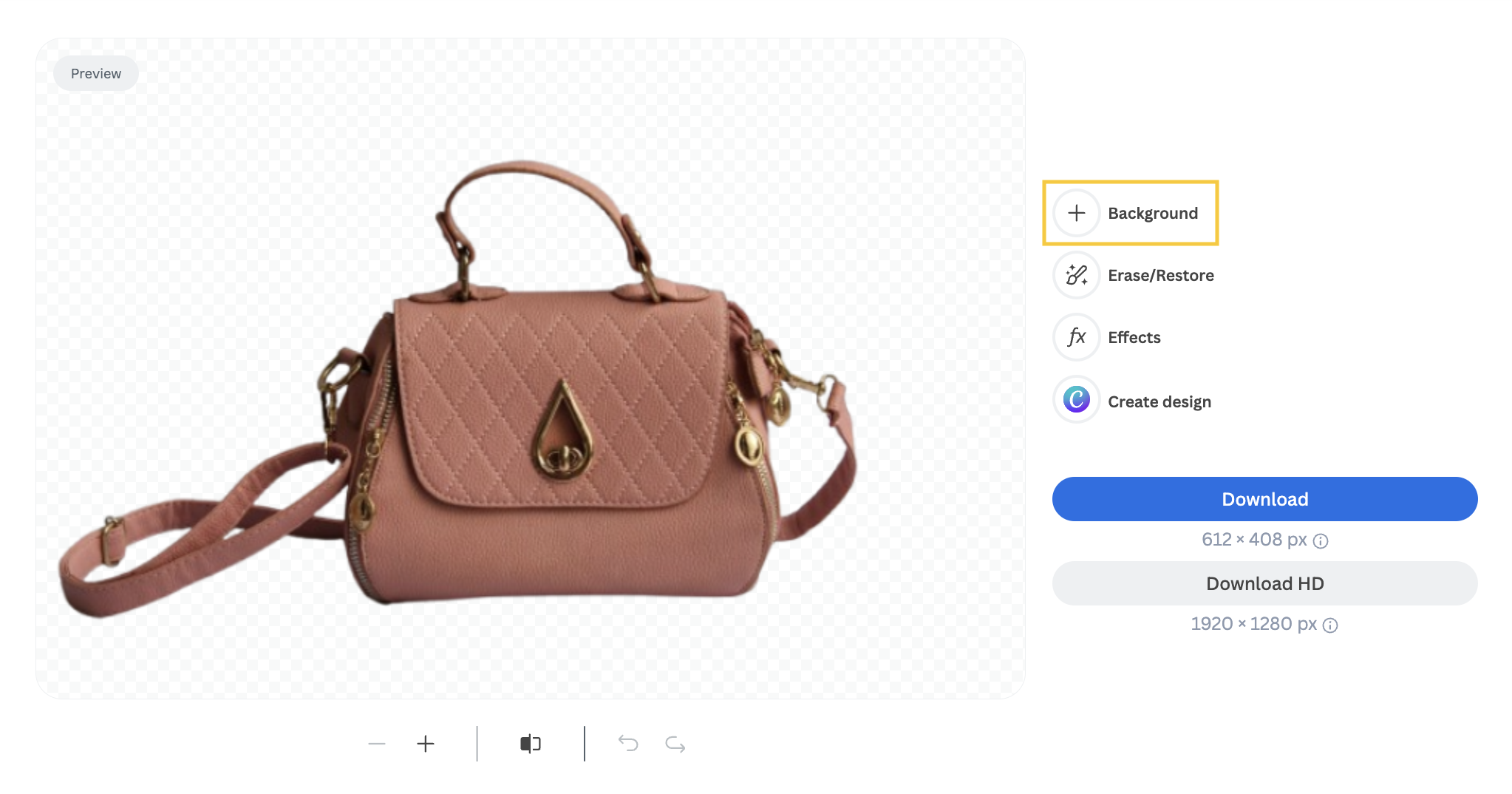
remove.bg remains a highly focused background-removal utility with web, desktop, plugin and API options. For ecommerce, that focus is useful: teams can create transparent cutouts, white-background catalog images, presets and bulk processes without adopting a broader creative suite. Newer AI background features extend the product, but it still ranks below fuller platforms because most advanced retouching, composition and catalog-management work happens elsewhere. Its narrow scope can be a strength inside an existing production stack.
What we like
Fast, simple specialist workflow for cutouts and transparent backgrounds.
API, desktop app and integrations support bulk operational use.
Useful preset-based ecommerce background workflows.
What to know
Narrower than all-in-one product photography suites.
Teams using the API should review the announced product transition roadmap before making a long-term integration decision.
Why it scored 77/100: Very strong at its core job and integrations, but fewer creative and end-to-end ecommerce production capabilities lower the total score.
Pricing: Pay-as-you-go starts at 3 credits for $3. Subscription pricing starts at 40 credits for $9/month. Enterprise volume pricing is available.
Best fit: Teams that already have a design stack and need reliable background removal as a dedicated step or API.
Less ideal for: Teams looking for one platform to generate complete product scenes, retouch images and manage broader creative workflows.
Key capabilities
Automatic background removal
Transparent exports
White-background product workflows
Bulk desktop processing
API and plugins
AI background generation
Official sources: Product · Pricing · Documentation
A practical six-tool shortlist
Photoroom for the broadest ecommerce product-image workflow.
Pixelcut for quick team adoption and everyday batch work.
Claid.ai for API-led automation and scale.
Adobe Photoshop for precision retouching and difficult exceptions.
Pebblely for inexpensive lifestyle scene generation.
Botika when fashion on-model imagery is the actual bottleneck.
The 10-image test before you buy
Do not judge these tools from a polished vendor demo. Run the same ten source images through your finalists: a reflective product, transparent packaging, a product with fine hair or fibers, white-on-white, black-on-black, text-heavy packaging, irregular edges, a group shot, one low-quality source image and one hero image that represents your typical catalog. Export every result in the exact dimensions you publish.
Track four things: first-pass approval rate, average edit minutes per approved image, cost per approved export, and fidelity failures per 100 images. Those metrics matter more than raw generation speed.
10 questions to ask in a demo
What happens to labels, logos and text when a background is generated?
Can we lock product geometry while changing only the scene?
How does batch processing work and what are the batch limits?
Which operations consume credits and which are unlimited?
What output resolution and file formats are supported?
Can we create reusable templates, presets or brand rules?
Is there an API, and how are API credits priced?
What rights do we have to use generated outputs commercially?
How long are uploaded source images retained and used?
What review controls exist for teams before images are published?
FAQs
What is the best overall product photography tool for ecommerce?
For this ranking, Photoroom scores highest because it combines product-focused editing, background generation, batch workflows and scale options. The right choice still depends on whether your bottleneck is catalog operations, detailed retouching, generative scenes or fashion imagery.
Which tool is best for removing product backgrounds in bulk?
Photoroom, Pixelcut and remove.bg all support bulk-oriented background workflows. Claid.ai is also worth testing when the process needs to be automated through an API rather than run manually.
Which tool is best for fashion ecommerce?
Botika is the specialist in this list for on-model fashion photography, flat lays and mannequin-to-model workflows. Flair AI also includes fashion and custom-model capabilities inside a broader creative product.
Can AI product photography replace a real photoshoot?
It can replace some background, variation and on-model production, but source photography and human review still matter. For brand-critical product pages, verify dimensions, labels, colors, materials, reflections and garment details before publishing.
How should I compare pricing between these tools?
Normalize the price to approved outputs, not raw credits. Credit systems count operations differently, and a cheap generation is not cheap if the image requires repeated regeneration or manual correction.
Are AI-generated product images safe for commercial use?
Commercial-use terms vary by plan, model and vendor. Review the current license and model-specific terms before using generated assets at scale, especially when a platform lets you choose third-party generative models.
About this research
MarketMaze reviewed official product pages, pricing pages, help centers and documentation for all 10 tools on 25 September 2026. Pricing is shown in the vendor’s displayed currency and can vary by region, billing term, tax and usage. Product capabilities change quickly, so confirm limits and commercial terms before purchasing.
