
MARKETMAZE · ECOMMERCE TOOLS · RESEARCH
9 Best Heatmap, Session Replay & Shopping Behavior Tools (2026)
Heatmap and session replay tools show how shoppers move through product pages, carts and checkout instead of only reporting aggregate conversion rates. Use them to find hesitation, broken interactions and hidden friction, then take the strongest hypotheses into controlled testing.
Updated 26 September 2026 · Pricing and product claims checked against official vendor sources.
👋 New to this category?
A session replay reconstructs one visitor’s journey so you can see clicks, scrolls and page states. A heatmap aggregates many visits to show where attention and interaction cluster. Masking hides sensitive content before it reaches the analytics system, while sampling means only part of traffic becomes watchable replay data. For example, a store can spot repeated dead clicks beside a size selector, confirm the pattern across sessions, and then run an A/B (split) test to learn whether the fix actually improves conversion.
🧭 Jump to a tool
🏆 The quick answer
🏆 Best overall
Contentsquare / Hotjar
🌱 Best for getting started
Microsoft Clarity
💸 Best value
Mouseflow
🏢 Best for larger teams / enterprise
Glassbox
🧠 Best for advanced or technical users
Fullstory
🛒 Best for Shopify
Lucky Orange
MarketMaze take
Do not buy based on the prettiest heatmap screenshot. The real separation is capture coverage, the ability to isolate high-intent journeys, technical context, privacy controls, and whether your checkout is actually visible. Start with the cheapest tool that can reproduce your critical funnel faithfully, then push every shortlist vendor through the same test sessions. A slick replay player is useless if it samples away the failure you needed to see.
📊 Tool comparison & scores
Rank | Tool | Score | Best for | Pricing |
|---|---|---|---|---|
1 | 94/100 | Ecommerce teams wanting Hotjar-style diagnostics plus deeper journey, error and impact analysis | $0; Growth from $49 | |
2 | 92/100 | Product and growth teams needing deep replay, product analytics, debugging and advanced filtering | Free; paid custom | |
3 | 91/100 | Teams wanting replay, heatmaps, friction, funnels and forms with transparent usage tiers | Free; paid from 25/mo | |
4 | 90/100 | Shopify merchants wanting quick replay and heatmap setup with deeper Plus checkout visibility | $39/mo; $32 annual | |
5 | 89/100 | Teams wanting capable free heatmaps and replay before paying for behavior analytics | Free forever | |
6 | 88/100 | Enterprise teams requiring technical error context, web/mobile replay and broad integrations | Custom quote | |
7 | 85/100 | Smaller ecommerce teams wanting heatmaps, replay, conversion tracking and search optimization in one suite | Free; $32/mo | |
8 | 84/100 | Smaller teams wanting replay, heatmaps and AI session triage at transparent prices | Free; from $39/mo | |
9 | 81/100 | Teams needing straightforward heatmaps, sampled recordings and simple public pricing | $29/mo annual |
🧠 How the scoring works
This ranking uses MarketMaze proprietary scoring.
Company-fit tags use small and medium-sized business (SMB) where relevant.
Dimension | Weight | What matters in this category |
|---|---|---|
Core job performance | 30% | Replay fidelity and capture, heatmap usefulness, frustration signals, technical context and diagnostic depth. |
Ecommerce fit | 20% | Product, cart and checkout workflows, commerce segmentation, Shopify support and revenue-aware behavior analysis. |
Workflow & control | 15% | Filtering, segmentation, session triage, annotations, collaboration, privacy controls and operator speed. |
Integrations & implementation | 15% | Setup effort, ecommerce/platform integrations, data flow, developer options and application programming interface (API) depth. |
Pricing & value | 10% | Public pricing, useful free entry points, session allowances, retention and cost relative to the target buyer. |
Scale & advanced capabilities | 10% | High-volume capture, mobile support, enterprise governance, longer retention, advanced analytics and technical investigation. |
🤔 Do you even need heatmap and session replay software?
Probably yes ✅
You have enough traffic to see repeated behavior, conversion is leaking somewhere in a real funnel, and aggregate analytics cannot explain the friction.
Maybe 🟡
Your store works, but you are still building a research habit. Start free, answer one concrete question each week, and see whether findings become actions.
Probably not yet ⏳
Traffic is tiny, basic analytics are not configured, or obvious site problems remain unfixed. More replay footage will not rescue missing fundamentals.

🥇 1. Contentsquare / Hotjar
94/100 · 💰 Free · 🧩 Intermediate · 🏢 All sizes · ⚙️ Low-code
🎯 Best for: Ecommerce teams wanting Hotjar-style diagnostics plus deeper journey, error and impact analysis
⚡ Choose Contentsquare / Hotjar if you want familiar replay and heatmap workflows with a much broader experience-analytics ceiling.
Hotjar has moved into Contentsquare, so new buyers now get its familiar heatmaps, recordings and feedback workflows inside the wider Contentsquare platform. The free Experience Analytics tier is unusually generous for initial investigation, while paid tiers add journey analysis, impact quantification and deeper filtering. For ecommerce teams, the attraction is one path from “what did shoppers do?” to “which friction is worth fixing first?” without treating Hotjar as a separate current product.
📷 Session Replay list and automated summary surface journey events, frustration signals and the key moments worth reviewing. Source: official vendor website/documentation.
💚 What we like
Free includes heatmaps, replays, funnels, error monitoring and up to 200,000 monthly analytics sessions.
Journey analysis and impact quantification help prioritize friction instead of simply collecting a library of interesting recordings.
The merged product family gives former Hotjar buyers a clear upgrade path into deeper enterprise experience analytics.
🟠 What to know
Session replay capture is sampled on lower plans, so the 200,000-session headline does not mean 200,000 replays.
Existing Hotjar customers face transition details, while new accounts now start directly on Contentsquare rather than Hotjar.
💡 Why this score: Contentsquare leads because it covers the category’s core diagnostic jobs, scales into journey and impact analysis, and still offers a meaningful free entry point. The score stops short of perfect because replay capture is sampled on lower tiers and the Hotjar migration adds some buying complexity.
💰 Pricing: Free at $0 with up to 200,000 monthly analytics sessions; Growth from $49/month billed annually; Pro and Enterprise are sales-led.
✅ Best fit: Teams that want a low-cost starting point today but may later need advanced journey analysis, error context, revenue impact and enterprise controls.
🚫 Less ideal for: Buyers that require every session replayed on an entry plan or want a completely unchanged legacy Hotjar buying experience.
🧩 Key capabilities
Session replay
Heatmaps
Funnels
Error monitoring
Journey analysis
Impact quantification
🔎 Official sources: Product · Pricing · Documentation

🥈 2. Fullstory
92/100 · 💰 Free · 🧩 Intermediate · 🏢 Mid-market–Enterprise · ⚙️ Low-code
🎯 Best for: Product and growth teams needing deep replay, product analytics, debugging and advanced filtering
⚡ Choose Fullstory if replay needs to connect with product analytics, developer context and data workflows at serious operating depth.
Fullstory combines session replay with product analytics, developer tools, funnels and behavioral data that can feed a wider data stack. Its Fullcapture approach reduces manual event instrumentation, while privacy controls exclude sensitive information by default. For ecommerce teams, that makes Fullstory especially useful when “why did this shopper fail?” must connect to product metrics, technical debugging and downstream analysis rather than end with a replay video.

📷 Revenue-aware heatmap view connects product-page interaction patterns with commerce outcomes and individual page elements. Source: official vendor website/documentation.
💚 What we like
Artificial intelligence (AI)-powered Fullcapture reduces manual instrumentation and keeps replay, product analytics and behavioral events connected.
Private and sensitive data are excluded by default, with configurable privacy controls for more complex deployments.
Free includes 30,000 monthly sessions and twelve months of analytics retention for up to ten users.
🟠 What to know
Paid Business, Advanced and Enterprise plans require a pricing request, making cost comparison harder before a sales conversation.
Deeper dashboards, StoryAI and data activation are tied to paid tiers or add-ons, increasing buying complexity.
💡 Why this score: Fullstory scores near the top because replay quality, behavioral analytics, developer context and data connectivity reinforce each other unusually well. It loses points mainly on pricing transparency and buying simplicity: the free plan is generous, but serious paid adoption quickly becomes a sales-led configuration exercise.
💰 Pricing: Free includes 30,000 monthly sessions and 12 months of analytics retention; paid Business, Advanced and Enterprise plans require a quote.
✅ Best fit: Mid-market and enterprise teams that want replay to serve product, growth, engineering and data workflows rather than remain a standalone research tool.
🚫 Less ideal for: Budget-led buyers that need to forecast paid costs before talking to sales or only want simple heatmaps and recordings.
🧩 Key capabilities
Session replay
Heatmaps
Product analytics
Developer tools
Funnels
Data export
🔎 Official sources: Product · Pricing · Documentation

🥉 3. Mouseflow
91/100 · 💰 Free · 🧩 Intermediate · 🏢 All sizes · ⚙️ Low-code
🎯 Best for: Teams wanting replay, heatmaps, friction, funnels and forms with transparent usage tiers
⚡ Choose Mouseflow if you want one behavior-analysis workspace with public usage tiers and room to grow past basic heatmaps.
Mouseflow bundles session replay, heatmaps, friction detection, conversion funnels, journey analysis, form analytics and feedback into one behavior analytics workspace. Installation can be as light as one asynchronous script or a tag-manager setup, and the pricing table exposes session allowances clearly. For ecommerce teams, the appeal is balance: enough workflow depth to investigate conversion friction without jumping immediately to enterprise-only pricing or a developer-heavy implementation.
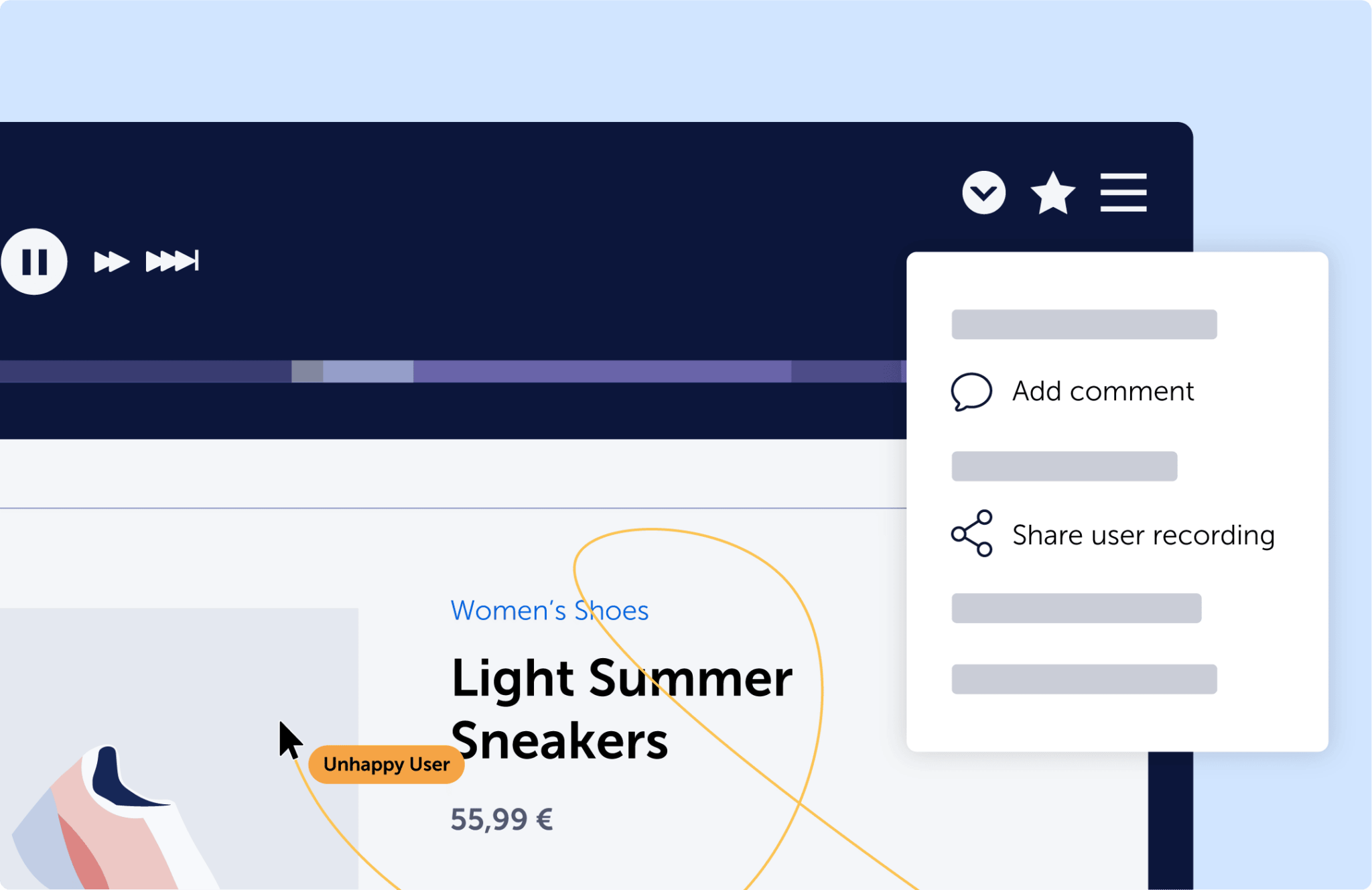
📷 Session replay player combines the rendered ecommerce journey with playback controls, comments and useful session context. Source: official vendor website/documentation.
💚 What we like
Seven connected behavior workflows cover replays, heatmaps, funnels, journeys, forms, friction detection and feedback surveys.
Public session-based tiers and unlimited users make cost and collaboration easier to model than sales-led alternatives.
Direct-code, tag-manager and ecommerce integrations keep implementation light while still supporting deeper filtering and data exports.
🟠 What to know
The free plan is limited to 500 monthly sessions, so meaningful ecommerce traffic quickly requires a paid tier.
Advanced journey, export, single sign-on and customer-success features become most relevant only on higher plans.
💡 Why this score: Mouseflow ranks highly because it covers nearly every core behavior-analysis workflow, exposes clear session limits and remains accessible to smaller teams. Its enterprise ceiling is lower than Fullstory or Glassbox, but the combination of broad functionality, predictable tiers and light implementation makes it unusually strong value.
💰 Pricing: Free; Essential 25/month, Advanced 109/month and Premium 319/month; Enterprise is custom. The vendor localizes currency presentation by market.
✅ Best fit: Teams that want one practical behavior analytics workspace with public limits, unlimited users and a straightforward path from basic replay into deeper diagnostics.
🚫 Less ideal for: Organizations needing the deepest enterprise data activation, long bespoke retention or highly technical incident reconstruction across complex systems.
🧩 Key capabilities
Session replay
Click/scroll heatmaps
Friction detection
Conversion funnels
Form analytics
Journey analytics
🔎 Official sources: Product · Pricing · Documentation

4. Lucky Orange
90/100 · 💰 Budget · 🧩 Beginner · 🏢 SMB–Mid-market · ⚙️ No-code
🎯 Best for: Shopify merchants wanting quick replay and heatmap setup with deeper Plus checkout visibility
⚡ Choose Lucky Orange if Shopify checkout behavior matters and you want a merchant-friendly setup rather than an analytics engineering project.
Lucky Orange is a behavior analytics suite built around session recordings, heatmaps, funnels, surveys and ecommerce-friendly filtering. Its strongest differentiator is Shopify: installation is one click, core commerce funnels are tracked automatically, and Shopify Plus merchants can record and heatmap hosted checkout pages. That makes it especially useful for stores whose biggest unanswered questions live between product view, cart and checkout rather than in a generic website journey.
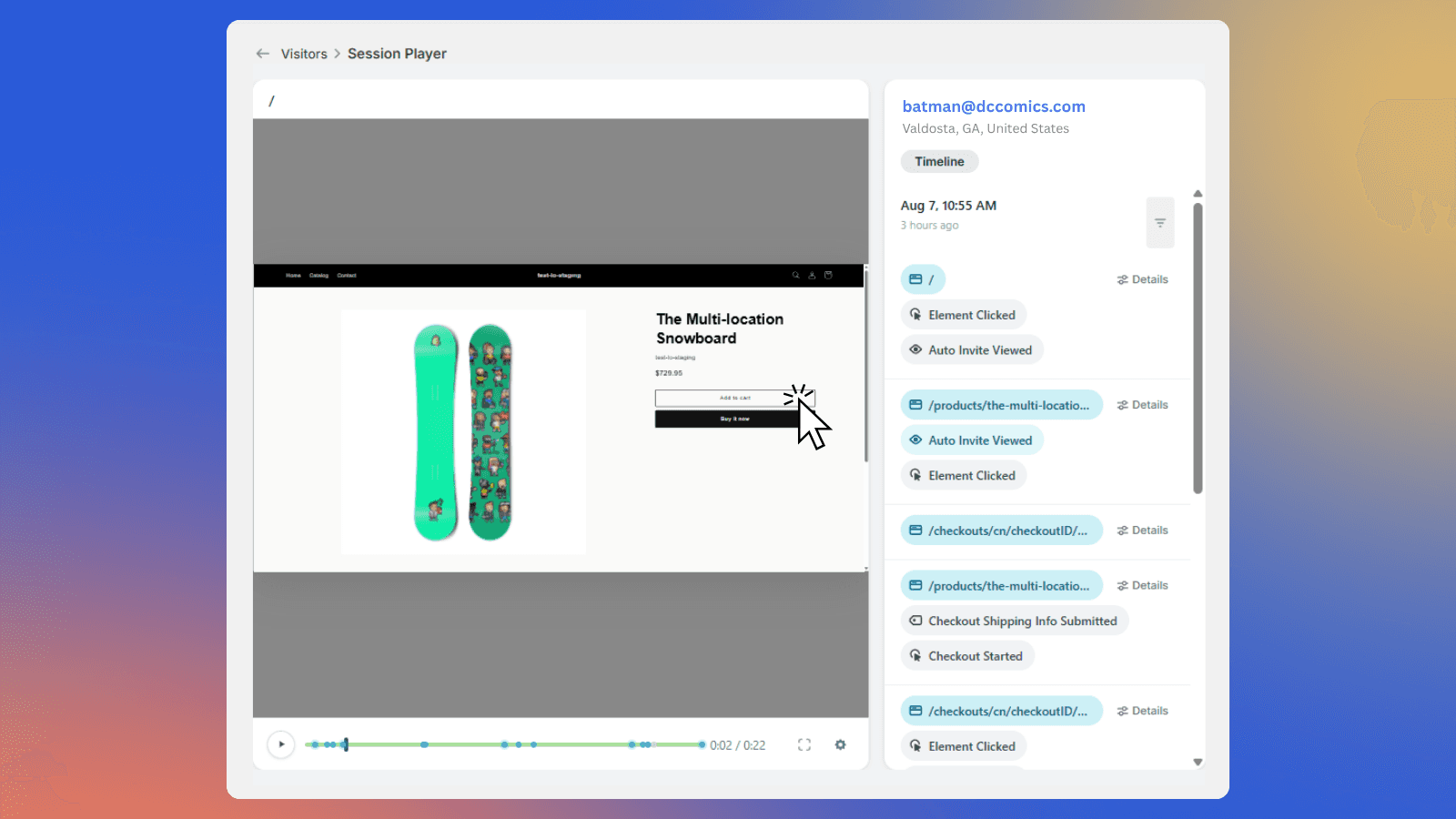
📷 Session player shows an ecommerce visit alongside a timeline of shopping, cart and checkout-related events. Source: official vendor website/documentation.
💚 What we like
One-click Shopify installation and an embedded admin experience reduce setup for merchants without dedicated analytics engineering support.
Shopify Plus can receive session recordings and heatmaps on hosted checkout, an unusually commerce-specific differentiator.
All paid tiers expose the same core features, with plan changes driven mainly by session volume and scale.
🟠 What to know
Standard Shopify plans can track checkout events but cannot show checkout session recordings or heatmaps.
Session-based pricing climbs sharply at higher traffic volumes, so larger stores should model monthly capture needs carefully.
💡 Why this score: Lucky Orange earns a high score because its core replay and heatmap workflows are closely aligned with ecommerce, particularly Shopify. Public pricing and no-code setup are strong, but its enterprise analytics and data ecosystem are not as deep as the top platforms, while high-volume plans become expensive.
💰 Pricing: Build is $39/month or $32/month billed annually for 3,500 sessions; higher tiers scale by sessions, with Enterprise custom from 700,000+ sessions.
✅ Best fit: Shopify and Shopify Plus teams that want to investigate product, cart and checkout friction without building a complex behavioral-data implementation.
🚫 Less ideal for: Very large digital organizations prioritizing deep product analytics, data-warehouse activation or cross-platform enterprise governance over merchant simplicity.
🧩 Key capabilities
Session recordings
Dynamic heatmaps
Conversion funnels
Shopify checkout
Visitor profiles
Surveys
🔎 Official sources: Product · Pricing · Documentation

5. Microsoft Clarity
89/100 · 💰 Free · 🧩 Beginner · 🏢 All sizes · ⚙️ Low-code
🎯 Best for: Teams wanting capable free heatmaps and replay before paying for behavior analytics
⚡ Choose Microsoft Clarity if budget is zero and you still need useful replay, heatmaps, frustration signals and lightweight segmentation.
Microsoft Clarity provides session recordings, click and scroll heatmaps, frustration signals, smart events and Copilot summaries at no charge. It is easy to add through a tracking script or common platform integration, which makes it an obvious first diagnostic layer for many ecommerce sites. The trade-off is control: Clarity tracks all sessions, but replay files may not be retained for every visit at high volume, and normal replay retention is relatively short.
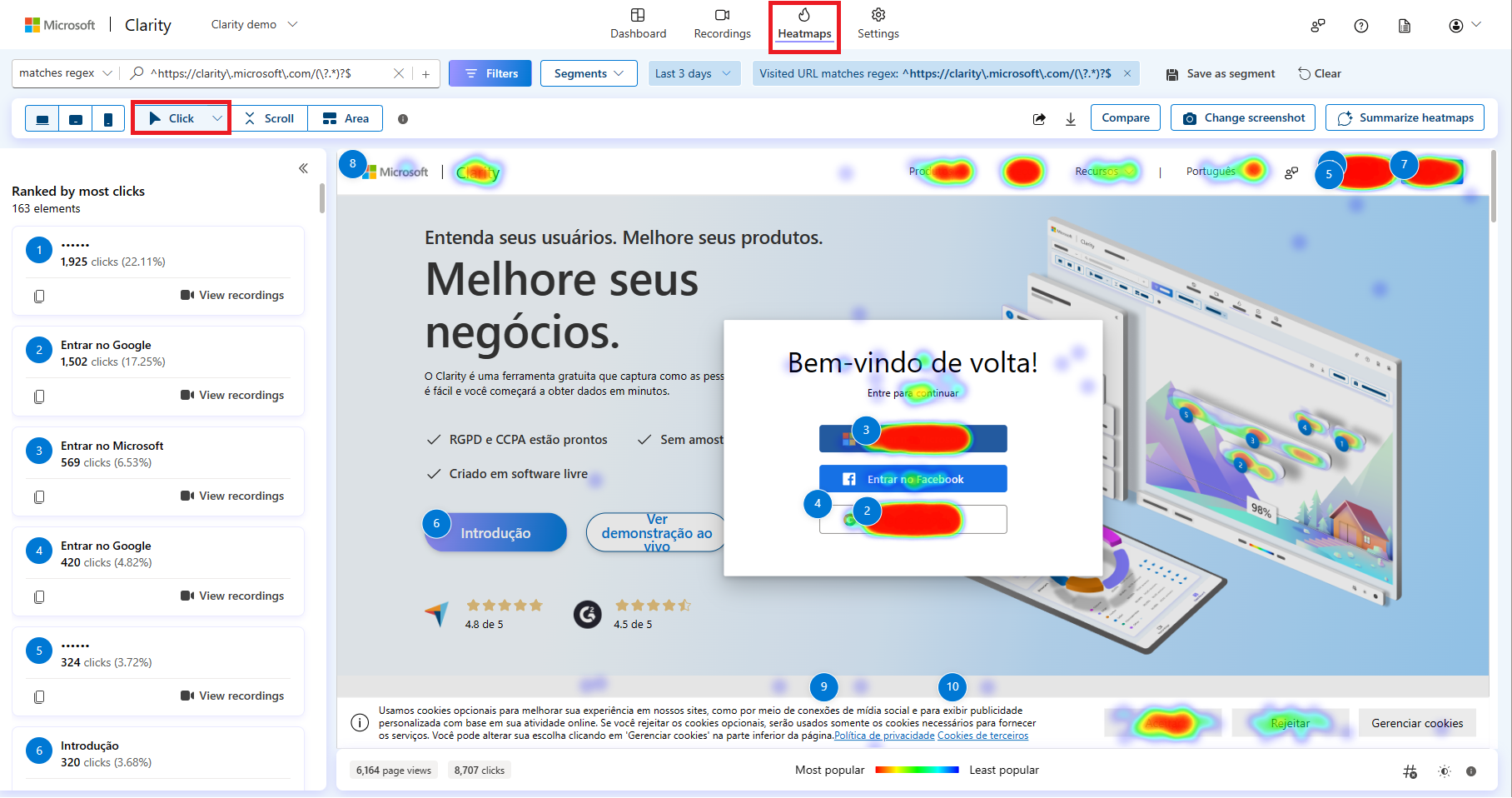
📷 Click heatmap overlays interaction hotspots on a page while Clarity keeps filters and behavior controls in view. Source: official vendor website/documentation.
💚 What we like
Free forever pricing includes unlimited heatmaps, websites and team members, removing the usual budget barrier to initial diagnosis.
Click, scroll, area and Shopify conversion heatmaps make page-level behavior easy to inspect without specialist tooling.
Microsoft documentation provides clear masking controls, session filtering and lightweight installation paths for common web stacks.
🟠 What to know
Clarity tracks all sessions, but replay files may not be available for every session and high-volume recording is sampled.
Standard replay retention is 30 days, which is shorter than teams may want for seasonal or long-cycle analysis.
💡 Why this score: Clarity’s value score is unmatched: the core category jobs are genuinely useful and permanently free, with easy setup and strong documentation. It ranks below the paid leaders because replay availability is not guaranteed for every session, recording limits trigger sampling at high volume, and retention and enterprise analysis are lighter.
💰 Pricing: Free forever, with unlimited heatmaps, websites and team members; there is no paid Clarity upgrade tier.
✅ Best fit: Teams that need a zero-cost first layer for replay, heatmaps and frustration detection before deciding whether deeper paid experience analytics are justified.
🚫 Less ideal for: Teams that require guaranteed full replay capture, longer default retention or advanced enterprise journey and data-activation workflows.
🧩 Key capabilities
Session recordings
Click heatmaps
Scroll heatmaps
Rage/dead clicks
Copilot summaries
Smart events
🔎 Official sources: Product · Pricing · Documentation

6. Glassbox
88/100 · 💰 Enterprise price · 🧩 Advanced · 🏢 Enterprise · ⚙️ Enterprise implementation
🎯 Best for: Enterprise teams requiring technical error context, web/mobile replay and broad integrations
⚡ Choose Glassbox if replay must support enterprise incident analysis, technical context and very high-scale web or mobile operations.
Glassbox is an enterprise digital-experience platform that combines replay with interaction maps, struggle signals, technical context, mobile coverage and broad integrations. Its replay can include the technical and server-side events influencing a journey, which helps teams move from “the shopper struggled” to “this error or service condition contributed.” That depth matters most when behavior analysis is shared across product, operations, support and engineering rather than owned by one conversion specialist.
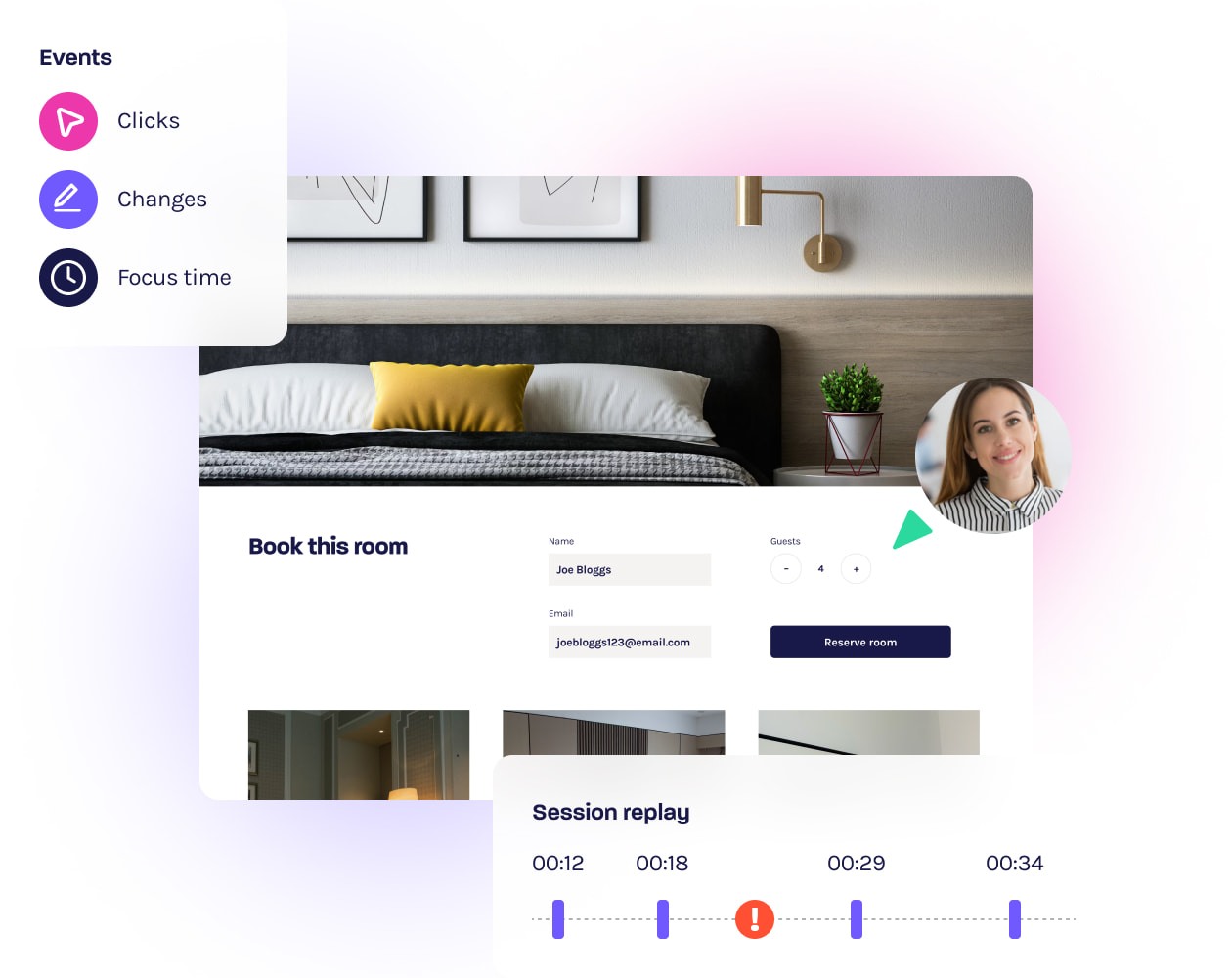
📷 Session replay pairs the reconstructed customer experience with an event timeline for technical and behavioral context. Source: official vendor website/documentation.
💚 What we like
Session replay combines behavioral actions with technical and server-side context, helping teams diagnose issues they cannot reproduce.
Production Operation packaging lists 100% replay capture and two million included monthly sessions for high-stakes troubleshooting.
Native integrations and an open application programming interface connect behavior evidence to analytics, testing, support and feedback tools.
🟠 What to know
Pricing is custom and deployment is enterprise-oriented, making Glassbox hard to justify for smaller teams needing basic heatmaps.
Marketing/Business and Product packages list 10% replay capture, so buyers must verify capture coverage by package.
💡 Why this score: Glassbox scores extremely well on technical depth, scale and enterprise workflow, including a package with 100% replay capture. It ranks lower overall because pricing is custom, implementation is heavier and some packages list only 10% replay capture, which makes procurement and apples-to-apples evaluation more demanding.
💰 Pricing: Custom quote; Glassbox states pricing depends on selected package, data-retention period and session volume.
✅ Best fit: Large organizations where replay must support product, support, engineering and operations teams across complex web or mobile journeys with strong technical context.
🚫 Less ideal for: Small or mid-sized stores that mainly need fast heatmaps and recordings without enterprise onboarding, governance or sales-led pricing.
🧩 Key capabilities
Session replay
Interaction maps
Error context
Struggle scoring
Mobile analytics
Open API
🔎 Official sources: Product · Pricing · Documentation

7. Plerdy
85/100 · 💰 Free · 🧩 Intermediate · 🏢 SMB–Mid-market · ⚙️ Low-code
🎯 Best for: Smaller ecommerce teams wanting heatmaps, replay, conversion tracking and search optimization in one suite
⚡ Choose Plerdy if you want affordable behavior analytics bundled with conversion and search-optimization tools rather than a narrow replay product.
Plerdy combines heatmaps and session replay with ecommerce tracking, conversion analysis, error monitoring, split testing, popups and search-engine optimization (SEO) tools. Its free plan covers the core category jobs, while the paid Startup tier remains inexpensive relative to many competitors. For ecommerce teams, the value is consolidation: one installation can answer behavior questions and support adjacent optimization tasks, although the suite is less specialized than the deepest replay-first platforms.
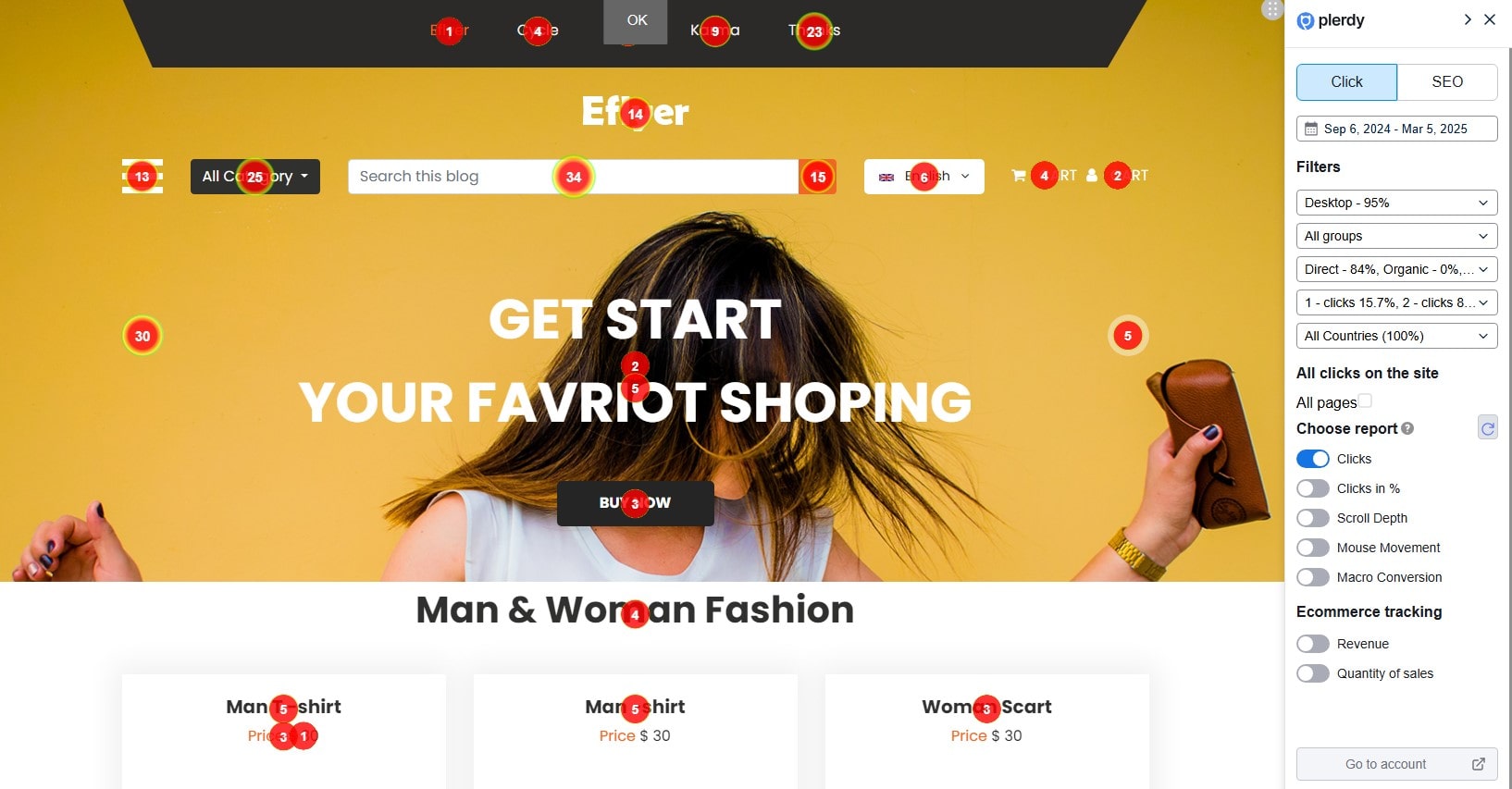
📷 Click heatmap overlays shopper interactions while a side panel controls segmentation and behavior-analysis settings. Source: official vendor website/documentation.
💚 What we like
Free and low-cost tiers combine heatmaps, replay, ecommerce tracking and conversion analysis in one operator-friendly budget.
Shopify support packages behavior analytics with ecommerce tracking, popups, SEO and testing workflows in one installation.
Published monthly and annual pricing makes it straightforward to compare session allowances before installing the tracking code.
🟠 What to know
The broad suite spans SEO and popups as well as behavior analytics, which can feel less focused than replay specialists.
Advanced enterprise collaboration, deep developer diagnostics and cross-team data workflows are not Plerdy’s primary strengths.
💡 Why this score: Plerdy scores well for ecommerce fit and value because it combines practical behavior analysis with conversion and SEO tools at accessible prices. It sits below the leaders because its enterprise workflow, developer context and data ecosystem are less sophisticated, while the broader toolkit can dilute focus for dedicated research teams.
💰 Pricing: Free plan available; Startup is $32/month or $21/month billed annually, with higher Scale, Thrive and Enterprise packages available.
✅ Best fit: Smaller ecommerce teams that want heatmaps and replay plus adjacent conversion, ecommerce-tracking and SEO tools without paying enterprise analytics prices.
🚫 Less ideal for: Large organizations seeking advanced replay governance, developer diagnostics, deep data activation or complex multi-team analytics administration.
🧩 Key capabilities
Heatmaps
Session replay
Ecommerce tracking
Conversion tracking
Split testing
Error monitoring
🔎 Official sources: Product · Pricing · Documentation

8. Inspectlet
84/100 · 💰 Free · 🧩 Beginner · 🏢 SMB–Mid-market · ⚙️ Low-code
🎯 Best for: Smaller teams wanting replay, heatmaps and AI session triage at transparent prices
⚡ Choose Inspectlet if you want inexpensive replay plus automated session triage instead of manually hunting through hundreds of recordings.
Inspectlet pairs session replay and dynamic heatmaps with form analytics, error logging, built-in testing and artificial intelligence (AI) features that surface unusual or frustrating sessions. The free plan is generous enough for a real evaluation, and installation is a single asynchronous JavaScript snippet. For ecommerce teams, its main appeal is efficiency: AI Session Insights can highlight rage clicks, errors and drop-offs before an operator spends time watching routine sessions.
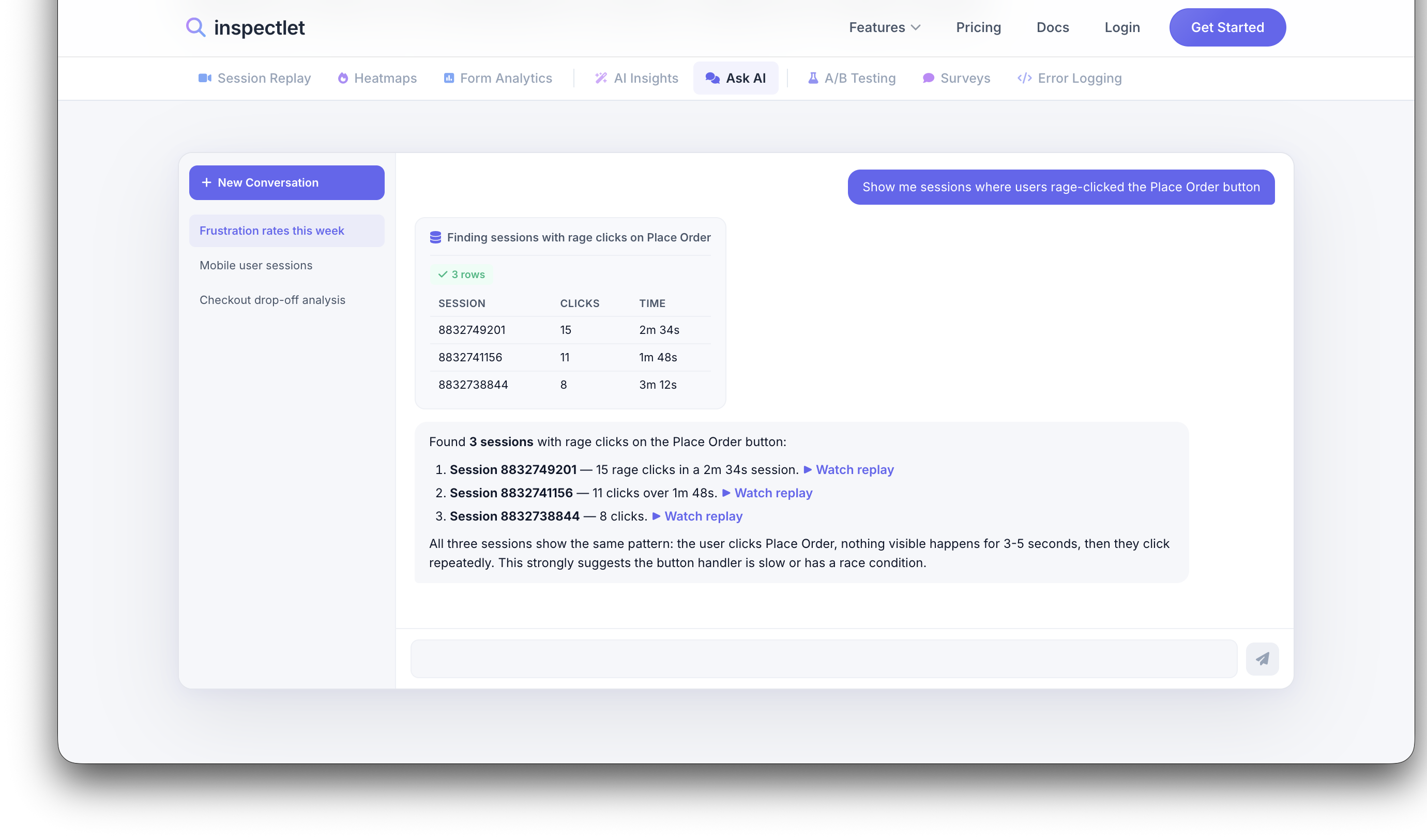
📷 Ask Inspectlet AI turns a behavior question into ranked session evidence, including high-signal frustration examples. Source: official vendor website/documentation.
💚 What we like
AI Session Insights automatically surface rage clicks, errors and drop-offs so teams spend less time scanning routine recordings.
Free includes 2,500 recorded sessions across three websites with replay, heatmaps and split testing.
Installation is one asynchronous JavaScript snippet, with core recording and heatmap generation starting immediately after setup.
🟠 What to know
The product is web-focused and offers less ecommerce-specific workflow depth than Shopify-specialist or enterprise experience platforms.
Advanced teams may outgrow its integration and data-activation ecosystem before they outgrow the core replay functionality.
💡 Why this score: Inspectlet scores well on value and day-one usability, especially now that AI triage reduces the manual work of finding important sessions. It ranks lower because ecommerce-specific workflows, enterprise integrations and large-scale governance are not as deep as the leading platforms, even though the core feature set is broad.
💰 Pricing: Free includes 2,500 recorded sessions per month across three websites; paid plans start at $39/month, with Enterprise from $499/month.
✅ Best fit: Small and mid-sized web teams that want useful replay, heatmaps and automated session triage without committing to an enterprise experience-analytics platform.
🚫 Less ideal for: Large enterprises that need deep commerce integrations, mobile analytics, data-warehouse activation or extensive cross-team governance and services.
🧩 Key capabilities
Session replay
Dynamic heatmaps
AI session insights
Form analytics
Error logging
Split testing
🔎 Official sources: Product · Pricing · Documentation
9. Crazy Egg
81/100 · 💰 Budget · 🧩 Beginner · 🏢 SMB–Mid-market · ⚙️ Low-code
🎯 Best for: Teams needing straightforward heatmaps, sampled recordings and simple public pricing
⚡ Choose Crazy Egg if you mainly need approachable heatmaps and recordings, with optional testing tools, rather than a deep analytics platform.
Crazy Egg focuses on visual behavior analysis through heatmaps, click maps, scroll maps and session recordings, with higher tiers adding testing, calls to action and error tracking. The setup is lightweight and pricing starts low, which keeps it accessible for smaller ecommerce teams. Its main trade-off is depth: recording allowances are plan-limited and sampled, while journey analytics, technical debugging and enterprise data workflows are lighter than the broader platforms above.
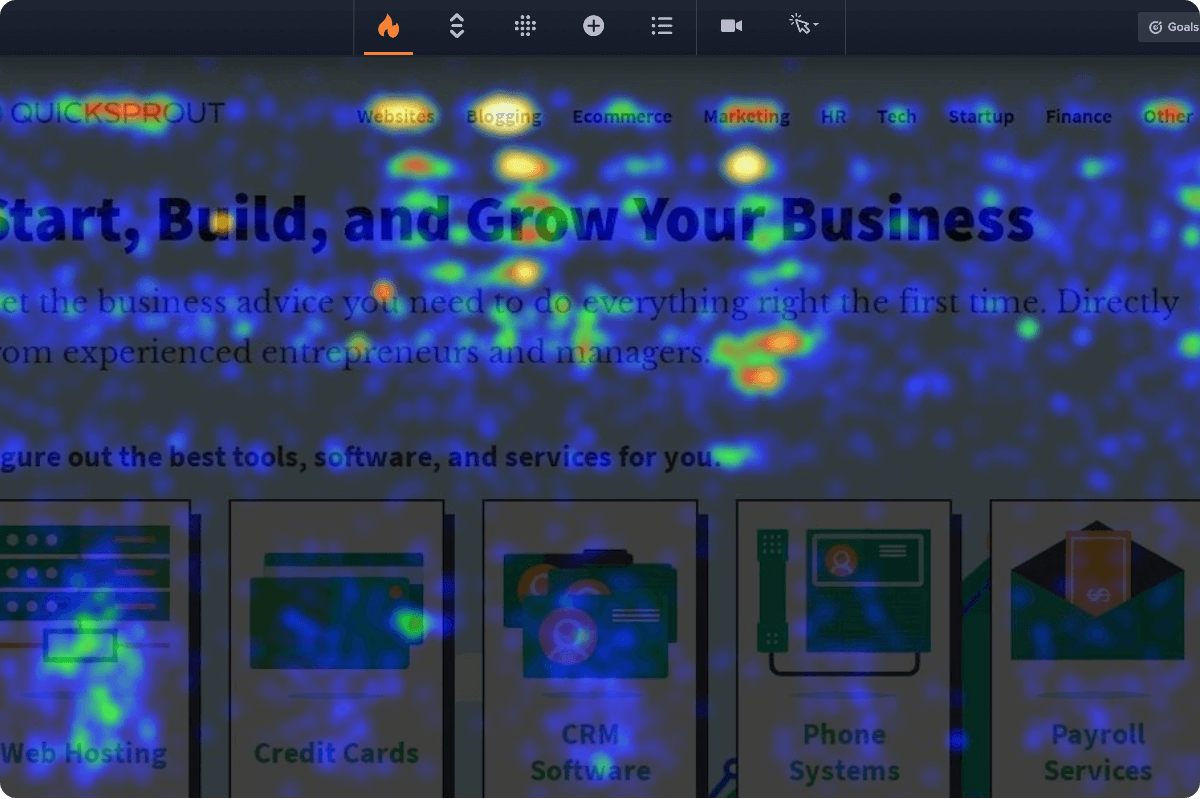
📷 Clickmap view overlays interaction hotspots on a page capture with Crazy Egg analysis controls ready for inspection. Source: official vendor website/documentation.
💚 What we like
Multiple heatmap views make click, scroll and attention patterns easy to inspect without learning a complex analytics model.
Starter pricing is public, and plans include unlimited website domains, team members and core web analytics.
Built-in conversion tracking and higher-tier testing tools let teams move from observation toward controlled experiments.
🟠 What to know
Starter includes only 50 recordings per month, and recording collection uses an adjustable sampling rate by website domain.
Advanced journey analysis, enterprise data integrations and technical debugging are lighter than the highest-ranked behavior platforms.
💡 Why this score: Crazy Egg remains a useful entry point for straightforward visual behavior analysis, with clear pricing and familiar heatmap workflows. It scores lower because the Starter recording allowance is small, recording uses sampling, and the platform offers less advanced journey, technical and enterprise depth than the stronger all-in-one alternatives.
💰 Pricing: Starter is $29/month billed annually with a 30-day free trial; Plus is $99/month, with higher Pro and Enterprise tiers.
✅ Best fit: Smaller teams that want easy heatmaps and a modest amount of replay, plus the option to add testing without adopting enterprise analytics.
🚫 Less ideal for: High-traffic teams that need broad replay capture, deep technical context, sophisticated journey analysis or extensive enterprise data integrations.
🧩 Key capabilities
Click maps
Scroll maps
Session recordings
Conversion funnels
Split testing
Error tracking
🔎 Official sources: Product · Pricing · Documentation
🎯 Which tools should you actually shortlist?
First behavior-analytics setup: Start with Microsoft Clarity and Contentsquare / Hotjar. Both give meaningful free diagnostics before you commit budget or process.
Shopify conversion team: Put Lucky Orange first, then compare Microsoft Clarity. Shopify Plus merchants should explicitly test whether checkout replay coverage changes the decision.
Growing small or mid-sized business: Compare Mouseflow, Plerdy and Inspectlet for session limits, workflow breadth and how quickly operators can find high-signal sessions.
Mid-market product and growth organization: Shortlist Fullstory and Contentsquare / Hotjar when replay must connect to funnels, product analytics, experimentation and cross-team prioritization.
Enterprise technical operations: Compare Glassbox, Fullstory and Contentsquare / Hotjar on capture coverage, error context, mobile support, integrations, privacy administration and retention.
Simple visual diagnostics plus testing: Crazy Egg and Plerdy are worth comparing when approachable heatmaps and controlled experiments matter more than enterprise journey analytics.
🧪 Run this test before you buy
Vendor demos naturally show clean recordings and convenient filters. Your test should do the opposite: create messy ecommerce behavior, privacy-sensitive fields, dynamic page states and known failures, then see what each platform actually captures. Run the same scenarios on the same site or staging environment, using the same devices and traffic sources, so differences in replay fidelity, sampling and workflow become visible rather than anecdotal.
Install each tool on the same staging theme or test domain and record exactly how much technical work the setup requires.
Run twenty scripted shopper sessions across desktop and mobile, including product browsing, search, cart edits, account actions and purchase intent.
Create a dead click, repeated click and visible JavaScript error on a product or cart page, then check how each tool surfaces them.
Walk the same product-to-cart-to-checkout journey and document exactly where replay or heatmap visibility stops, especially on hosted checkout pages.
Compare captured sessions with your baseline analytics count to estimate the real replay capture rate and identify sampling behavior.
Enter test names, email addresses, shipping details and payment-like placeholder fields, then confirm masking occurs before sensitive content reaches storage.
Test heatmaps on dynamic variants, popups, product selectors and changing cart states to see whether page-state differences remain interpretable.
Build the same segment for paid-social visitors who add to cart but do not purchase, then measure how quickly each tool finds relevant sessions.
Share one replay and one heatmap finding with a developer or support teammate, then test comments, links, exports and issue-tracking handoffs.
Check page performance, consent behavior, retention controls and deletion workflows before estimating the annual cost at your expected session volume.
📏 Record the same things for every vendor: capture rate, replay fidelity, checkout coverage, masking accuracy, time to isolate one issue, technical context, filter speed, collaboration handoff, retention window and monthly cost at your real traffic level.
🧾 10 questions to ask in every demo
What exactly is billable: site sessions, captured replays, pageviews, projects, seats, storage, responses or some combination?
What percentage of sessions becomes replay data on each plan, and what daily, monthly or project-level limits can trigger sampling?
Which parts of our cart, hosted checkout, iframes, cross-domain flows and logged-in experiences can you actually reconstruct?
What is masked by default, where does masking occur, and can sensitive content ever reach your servers before a rule is applied?
How do JavaScript errors, network failures, server-side events or performance problems appear inside a shopper’s replay?
Which ecommerce and analytics integrations are native, and which require custom tags, an application programming interface or engineering work?
Who normally owns implementation, how long does production rollout take, and what work remains after the tracking code is installed?
What data can we export, through which interfaces, at what granularity, and for how long can we retain raw or replay data?
How does pricing change when our traffic doubles, we add domains, increase retention or need higher replay capture?
If we leave, what can we export, how quickly can our data be deleted, and which historical analyses stop being available?
❓ Frequently asked questions
What are heatmap and session replay tools?
They are behavior-analytics tools that help teams inspect how visitors interact with a website. Session replay reconstructs individual journeys, while heatmaps aggregate clicks, scrolling or attention across many visits. Ecommerce teams use both to find friction on product pages, carts and checkout. They are diagnostic tools: the output is usually a hypothesis about what to fix, not proof that the fix will increase revenue.
How are session replay tools different from web analytics or A/B testing?
Traditional web analytics is strongest at showing what happened at scale: conversion rate, traffic sources, funnel drop-off and revenue. Replay and heatmaps add behavioral context by showing how the experience unfolded. A/B testing goes one step further by comparing controlled variants, which provides stronger evidence that a change caused an outcome. In practice, analytics finds the problem area, replay explains it, and testing validates the fix.
Which session replay tool is a strong starting point for Shopify?
Lucky Orange is the most Shopify-specific option in this shortlist because it installs in one click, tracks commerce funnels automatically and can record hosted checkout on Shopify Plus. Microsoft Clarity is an excellent free companion and supports Shopify conversion heatmaps. Contentsquare / Hotjar becomes more attractive when the team needs broader journey analysis, error monitoring and enterprise-scale experience analytics beyond the store’s immediate conversion workflow.
How much do heatmap and session replay tools cost?
The category ranges from genuinely free to enterprise custom pricing. Microsoft Clarity is free forever. Contentsquare, Fullstory, Mouseflow, Plerdy and Inspectlet have meaningful free entry points. Budget paid plans begin around $29 to $39 per month for Crazy Egg, Plerdy, Inspectlet and Lucky Orange, although limits differ. Fullstory’s paid tiers and Glassbox are sales-led, so serious scale requires a quote.
How hard are session replay tools to implement?
Basic web installation is usually light: a JavaScript snippet, tag manager or ecommerce app can start collecting data quickly. The hard part is governance, not copying the code. Before production rollout, teams should define consent behavior, masking rules, checkout coverage, user identification, retention and who owns analysis. Enterprise tools can add mobile software development kits, server-side context, data integrations and security reviews, making implementation a multi-team project.
What does sampled versus full session capture mean?
Full capture means the platform can retain replay data for every eligible session within the contracted limits. Sampling means only a portion of traffic becomes watchable replays, even if aggregate analytics covers more visits. This matters when the failure you care about is rare. Ask vendors for the replay capture percentage by plan, then compare captured sessions against your own analytics during a controlled test rather than relying on a headline session allowance.
🔍 About this research
MarketMaze researches and scores each tool using its proprietary scoring methodology. Product details and pricing are checked against official vendor sources. Screenshots are from vendor websites, documentation, official demos, or MarketMaze product captures and are used to illustrate the products being reviewed.
Last research check: 26 September 2026.
